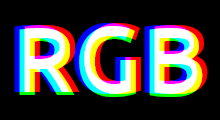

CRT Monitor Effect
Recreate the look of classic CRT displays on your photos.
This is a free online tool that allows you to add CTR monitor effect to images.
CRT monitor effect is an image filter that simulates the visual characteristics of old TVs and classic CRT screens by appying features like scanlines and chromatic aberration.
Everything runs directly in your browser. No downloads or installations required. Simply upload an image, adjust the settings, preview the result in real time, and download the final image.
Drop your image here
Examples
Below are some examples of CRT monitor effects created with this online tool.
| Original image | Image with the CRT monitor effect | Settings | ||||||||||||||||
|---|---|---|---|---|---|---|---|---|---|---|---|---|---|---|---|---|---|---|
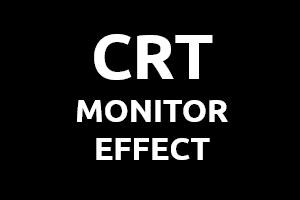 | 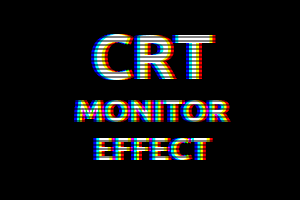 | Scanlines
Chromatic aberration
| ||||||||||||||||
 | 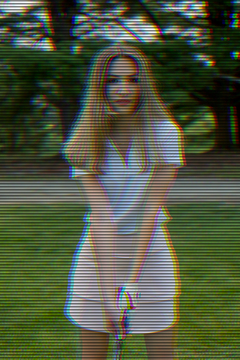 | Scanlines
Chromatic aberration
|
Settings
Below are the parameters you can configure when creating a CRT Monitor Effect.
Scanlines
Scanlines (or scan lines) are horizontal lines visible in the images, as alternating colored lines and black lines.
| Field | Description |
|---|---|
| Scanlines opacity | The scanlines opacity / transparency. Must be a number between 0 (fully transparent) and 100 (fully opaque). |
| Scanlines height | The height of the scanlines, in pixels. |
Chromatic aberration
The chromatic aberration effect is created by separating the red, green and blue color channels of images and adjusting X and Y offsets.
| Field | Description |
|---|---|
| Red offset X | The horizontal offset of the red color channel, in pixels. |
| Red offset Y | The vertical offset of the red color channel, in pixels. |
| Green offset X | The horizontal offset of the green color channel, in pixels. |
| Green offset Y | The vertical offset of the green color channel, in pixels. |
| Blue offset X | The horizontal offset of the blue color channel, in pixels. |
| Blue offset Y | The vertical offset of the blue color channel, in pixels. |