
Dragon Curve Generator
Draw the dragon curve, the fractal you get by folding a strip of paper.
This is a free online dragon curve generator. Choose the number of folds, the thickness of the line and the colors, and download the result as a PNG image with a transparent background.
The dragon curve has the most physical definition of any fractal: take a strip of paper, fold it in half, then in half again, and again, always in the same direction. Now unfold it, opening every crease to a right angle, and look at the strip from the side. That jagged line is the dragon curve.
What makes it remarkable is that this tangled line never crosses itself, and that copies of it fit together perfectly to tile the plane with no gaps.
Everything runs directly in your browser. No image is uploaded to a server, and nothing needs to be installed.
Fractal options
Use the mouse wheel over the image to zoom in and out, and drag the image to move it. On a phone, use one finger to move the image and two fingers to zoom. The checkered squares show the transparent areas of the image: they are not part of the downloaded PNG file.
How to generate a dragon curve?
- Choose the number of folds - Each fold doubles the number of segments: 10 folds gives about a thousand segments, and 18 folds gives more than a quarter of a million. The curve keeps changing shape until about fold 10, and after that it only gets more detailed.
- Choose the variant - The dragon curve, or the twin dragon, which joins the curve with a copy of itself turned by 180 degrees and closes it into a single tile.
- Set the line thickness - Thick lines suit a low number of folds; from fold 13 upwards use a thin line, otherwise the neighbouring parts of the curve merge into a solid blob.
- Choose the colors - A gradient between two colors runs along the curve from the first segment to the last one, which makes the folding order visible. A single flat color gives a cleaner, graphic look.
- Make the background transparent (optional) - Turn on "Transparent background" to download a curve you can place over anything.
- Frame the image - Zoom with the mouse wheel, drag the image to move it, and use the rotation slider to turn the dragon.
- Download the image - Click "Download PNG image" to save exactly what you see.
Settings
| Field | Description |
|---|---|
| Variant | The dragon curve on its own, or the twin dragon: the same curve plus a copy turned by 180 degrees around its starting point, which together form a shape that tiles the plane. |
| Number of folds | How many times the strip of paper is folded. The number of segments is 2 raised to this number, so it doubles at every step. |
| Zoom, Rotation, Margin | How the curve is framed inside the image. Note that the dragon rotates by 45 degrees every time you add a fold, so the rotation slider is useful to put it back upright. |
| Coloring | One flat color, or a gradient between two colors that runs along the curve from the first segment to the last one. |
| Line thickness | The thickness of the line, in pixels. Lower it as you raise the number of folds, or the curve fills in and becomes a solid shape. |
| Transparent background | Leaves the background of the PNG transparent, so the curve can be placed over any color or image. |
| Resolution / Width / Height | The size of the generated image, in pixels. |
What is the dragon curve?
Fold a strip of paper in half, right end over left. Fold it in half again, the same way. And again. Each fold doubles the number of creases: after n folds there are 2n − 1 of them. Now unfold the strip so that every crease sits at exactly 90 degrees, and look at it edge on. The path traced by the strip is the dragon curve of order n.
The sequence of creases, read from one end, is not random: it follows a strict rule. The first half of the creases of order n is the whole sequence of order n−1, then comes a left turn, and then the sequence of order n−1 again but reversed and with every turn flipped. That is exactly what folding does to the paper, and it is how this tool builds the curve: it takes the curve it has, rotates a copy by 90 degrees around the last point, and walks that copy backwards.
The curve is also called the Heighway dragon, after the NASA physicist John Heighway who found it with his colleagues William Harter and Bruce Banks in the 1960s. It became famous outside mathematics when Michael Crichton used it as the chapter ornament in Jurassic Park, where each iteration of the dragon marks a new stage of the story.
Three surprising properties:
- The curve never crosses itself, no matter how many times it is folded — although it touches itself in infinitely many places.
- Its fractal dimension is exactly 2. Unlike the Koch snowflake, whose dimension is a fraction, the dragon curve eventually fills a region of the plane completely: its boundary is fractal, but the curve itself is as two dimensional as a surface.
- Copies of it tile the plane. Four dragons fitted around a common point, or two forming the twin dragon, leave no gaps and no overlaps.
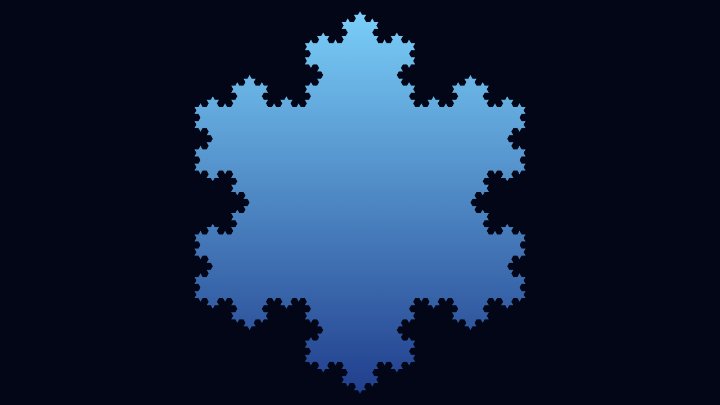
Dragon curve and Koch snowflake
| Dragon curve | Koch snowflake | |
|---|---|---|
| How it is built | The whole curve is copied, turned by 90 degrees and joined to itself. | Every segment is replaced by four shorter segments. |
| Growth per step | The number of segments doubles. | The number of segments is multiplied by 4. |
| Fractal dimension | Exactly 2: the curve fills an area. | About 1.262: the curve stays thinner than a surface. |
| Self similarity | Each half of the curve is a smaller dragon, rotated by 45 degrees. | Each quarter of the curve is a smaller Koch curve. |
| Does it tile the plane? | Yes, copies fit together with no gaps. | No, but snowflakes of different sizes can fill a plane together. |
Frequently Asked Questions (FAQ)
Is this dragon curve generator free to use?Yes, this tool is 100% free and works directly in your browser, with no installation and no sign-up required.
Are the images uploaded to a server?No. The curve is drawn by your own browser and the image never leaves your computer.
Can I use the generated images in my own projects?Yes. The images come from a geometric rule, and you are free to use them in websites, posters, book ornaments, games and printed material.
Can I download it with a transparent background?Yes. Turn on "Transparent background" and the PNG will have no background at all.
Why does the curve turn when I add a fold?Because each fold rotates the whole curve by 45 degrees around its starting point, which is a direct consequence of how the copy is attached. Use the rotation slider to put it back the way you want it.
Does the dragon curve cross itself?No. It touches itself in infinitely many places, but it never actually crosses. That is why the folded strip of paper can always be unfolded flat.
Why does it become a solid blob at many folds?Because the line is thicker than the gaps between the neighbouring parts of the curve. Lower the "Line thickness" to 1 pixel or less, and raise the resolution of the image.
What is the twin dragon?The curve together with a copy of itself rotated by 180 degrees around its starting point. The two halves lock into each other and close the shape, and the result tiles the plane on its own.
Is this the dragon from Jurassic Park?Yes. Michael Crichton used successive iterations of the Heighway dragon as the ornament at the start of each part of the novel, as a visual metaphor for a system growing out of control.
Where can I see other fractals?Try the Koch Snowflake Generator, the Sierpinski Triangle Generator, the Barnsley Fern Generator and the Mandelbrot Set Generator.
Related tools