
Burning Ship Fractal Generator
Draw the Burning Ship fractal, zoom into the ship and download the image.
This is a free online Burning Ship fractal generator. Zoom in with the mouse wheel to find the burning ship itself, its masts and the armada of smaller ships sailing along the waterline, and download any view as a PNG image.
The Burning Ship is calculated almost exactly like the Mandelbrot set. The only difference is that the absolute value of both parts of the number is taken before squaring it, and that single change destroys the symmetry of the formula: instead of soft spirals, the border is made of sharp flames, straight edges and shapes that look like a ship in fire.
Everything runs directly in your browser. No image is uploaded to a server, and nothing needs to be installed.
Fractal options
Use the mouse wheel over the image to zoom in and out where the pointer is, and drag the image to move it. On a phone, use one finger to move the image and two fingers to zoom.
How to generate a Burning Ship fractal image?
To create and save your own view of the Burning Ship, follow these steps:
- Start from one of the known places - Use the buttons above the image: "Whole set" shows the entire fractal, "The ship" goes to the burning ship that gives the fractal its name, "The mast" to the towers above it, "Armada" to the fleet of smaller ships along the waterline, and "Lone ship" to a single ship far away on the left arm.
- Zoom with the mouse wheel - Every notch magnifies the image 1.3 times around the pointer. On a touch screen, pinch with two fingers.
- Explore the left arm - Almost everything interesting in this fractal lies on the horizontal band between -2 and -1.5, very close to the real axis. Drag the image sideways along that band and you will keep finding new ships.
- Raise the iterations - The flames are thin and need many steps to appear. Keep "Increase the iterations when zooming in" turned on, or type a higher value yourself.
- Choose the colors - The Fire and Sunset palettes suit this fractal particularly well, since the structures really do look like flames.
- Choose the resolution - Select a common resolution or type any width and height, up to 4K.
- Download the image - Click "Download PNG image" to save exactly what you see.
Settings
Below are the parameters you can configure to draw the Burning Ship fractal.
| Field | Description |
|---|---|
| Center (real part) | The horizontal position of the center of the image on the complex plane. The whole fractal lies roughly between -2.2 and 1.2. |
| Center (imaginary part) | The vertical position of the center. Note that the image is drawn with the imaginary axis pointing down, which is how this fractal is always published: that is the orientation that makes the ship look upright instead of upside down. |
| Zoom | The magnification of the view. The mouse wheel changes this value, magnifying the image where the pointer is. |
| Maximum iterations | How many times the formula is applied to each pixel before deciding that the point never escapes. The Burning Ship needs a generous number of iterations, because the flames are made of points that take a long time to run away. |
| Increase the iterations when zooming in | Raises the iterations automatically as the magnification grows. |
| Palette, Color cycles, Color offset | The sequence of colors used for the points that escape, how many times it repeats every 256 iterations, and where the sequence starts. |
| Smooth coloring | Removes the visible steps between the color bands. Turning it off is a good way to see the straight, sharp edges that make this fractal different from the Mandelbrot set. |
| Invert the palette | Reads the palette backwards. |
| Color of the inside of the set | The color of the points that never escape, which form the solid hull of the ship. |
| Resolution / Width / Height | The size of the generated image in pixels. |
What is the Burning Ship fractal?
The Burning Ship was described by Michael Michelitsch and Otto Rössler in 1992. It uses the same idea as the Mandelbrot set, applying a formula to each pixel of the complex plane until the value escapes, but with one extra step:
z0 = 0 and zn+1 = ( |Re zn| + i·|Im zn| )² + c
Before squaring, the real part and the imaginary part are both replaced by their absolute value. It looks like a tiny detail, but it changes everything: taking an absolute value is not a smooth operation, so the formula is no longer analytic. The Mandelbrot set owes its curved, self-similar spirals to that smoothness, and without it the Burning Ship grows straight edges, sharp corners and structures that look like fire. The copies of the fractal you find while zooming are also not exact copies, as they are in the Mandelbrot set.
The name comes from the shape found near -1.755 - 0.035i: a hull, a mast and flames, which really does look like a ship burning at sea. It is traditionally drawn with the imaginary axis pointing down, and this tool does the same, so the ship appears upright.
Burning Ship vs Mandelbrot set
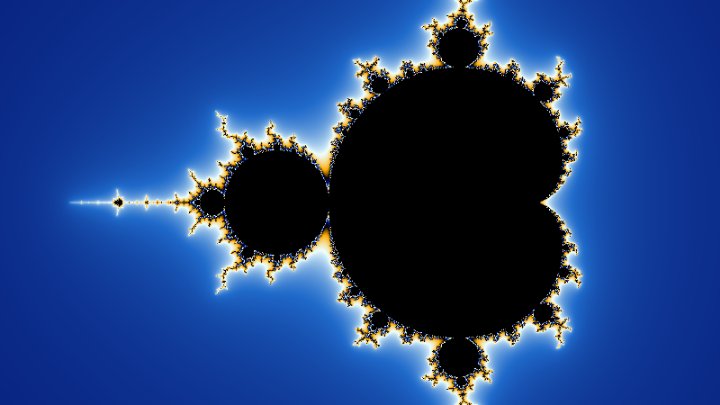
| Mandelbrot set | Burning Ship | |
|---|---|---|
| Formula | z = z² + c | z = (|Re z| + i|Im z|)² + c |
| Symmetry | Mirrored around the horizontal axis. | Mirrored only on the left part; the two halves of the plane behave differently. |
| Shape of the border | Curved filaments and spirals everywhere. | Straight segments, sharp corners and flames. |
| Small copies | Exact miniature copies of the whole set. | Ships of many different shapes; none of them is an exact copy. |
| Where to zoom | Anywhere along the border. | Mostly along the horizontal band between -2 and -1.5. |
Frequently Asked Questions (FAQ)
Is this Burning Ship generator free to use?Yes, this tool is 100% free and works directly in your browser, with no installation and no sign-up required.
Are the images uploaded to a server?No. The fractal is calculated by your own browser and the image never leaves your computer.
Can I use the generated images in my own projects?Yes. The images come from a mathematical formula and you can use them in websites, wallpapers, posters, videos, games and printed material.
Where exactly is the ship?Around -1.755 - 0.035i, on the left arm of the fractal. Click the "The ship" button above the image to go straight there, and then zoom in on the mast, which stands around -1.7755 - 0.0265i.
Why is the image upside down compared to the coordinates?Because this fractal is always published with the imaginary axis pointing down, which is the orientation that makes the ship look like a ship instead of a hanging shape. The numbers in the options panel are the real mathematical coordinates.
Why does it look so different from the Mandelbrot set?Because taking the absolute value of the two parts of the number breaks the smoothness of the formula. Analytic formulas produce curved, self-similar decorations; this one produces straight edges and sharp flames instead.
Why does the image look flat when I zoom in?The number of iterations is too low for that magnification. Raise "Maximum iterations", or keep "Increase the iterations when zooming in" turned on. This fractal usually needs more iterations than the Mandelbrot set at the same zoom.
How deep can I zoom?Up to a magnification of about 1013. Beyond that, the 64 bit numbers of the browser cannot separate two neighbor pixels, and the image breaks into flat blocks.
Are there other fractals made this way?Yes, many. Changing the formula slightly gives a whole family of "absolute value" fractals, and changing the exponent gives higher order burning ships. You can explore the classic relatives here: the Mandelbrot set, the Julia sets and the Newton fractal.
Related tools