
Droste Spiral Generator
Twist any image into an infinite Escher spiral, by taking the logarithm of the image.
This free online tool creates a Droste spiral, the effect of M. C. Escher's famous lithograph Print Gallery (1956): the image wraps around itself, and walking once around the center takes you one level deeper into a smaller copy of the same image, endlessly, without any visible seam.
The spiral is made with a little bit of complex analysis: the tool nests the image inside itself, takes the logarithm of the image, which turns that endless zoom into a repeating pattern, rotates the pattern, and goes back with the exponential. Upload a photo, choose where the nested copy goes and how many arms the spiral has, and download the result as a PNG image.
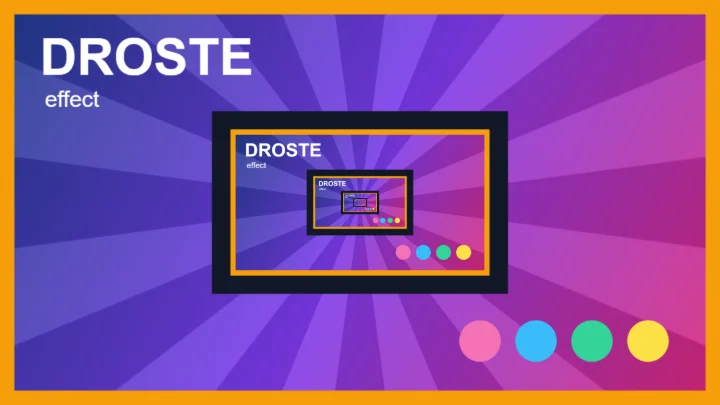
Looking for a picture inside a picture, without the twist? Use the Droste Effect Generator. To make the spiral move, use the Infinite Zoom Animation Generator.
Everything runs directly in your browser. No image is uploaded to a server, and nothing needs to be installed.
Drop your image here
How to create a Droste spiral?
- Upload your image - Any photo works. You can also paste an image with Ctrl+V, or click "Try it with a sample image".
- Place the nested copy - Choose the size and the position of the smaller copy of the image. The spiral will be centered where the copies get infinitely small. A picture frame, a screen, a window or a book in your photo are great places for it.
- Choose the number of strands - 1 gives the classic Escher spiral, higher values give spirals with more arms, and negative values make it turn the other way.
- Adjust the zoom and the rotation - Find the best framing for the spiral: they choose which part of the image appears in front.
- Download the image - Click "Download image" to save the result as a PNG, with the full resolution of your image.
Options
| Field | Description | ||||||
|---|---|---|---|---|---|---|---|
| Size | The size of the nested copy, in percent of the size of the image. Smaller copies give a tighter spiral, with more levels of the image visible. | ||||||
| Horizontal and vertical position | Where the nested copy is placed inside the image: 0% puts it against the left (or top) border, 50% in the center and 100% against the right (or bottom) border. The center of the spiral is the point where the copies converge, so it moves with the copy. | ||||||
| Rotation per level | Rotates the nested copy relative to the image that contains it, in degrees (positive values turn clockwise). Since every copy contains a copy rotated by the same angle, the copies turn more and more as they get smaller, which adds a second twist on top of the spiral. Zooming in then also turns the image. | ||||||
| Placement | How the nested copy is combined with the image.
| ||||||
| Strands | The number of arms of the spiral: how many nesting levels you go through in one full turn around the center. 1 gives the classic Escher spiral, and negative values make the spiral turn in the opposite direction. 0 gives no spiral at all, only the nested copies (the plain Droste effect). | ||||||
| Zoom | Zooms into the spiral, in percent of one nesting level. Since the image is infinitely nested, a zoom of 100% gives exactly the same image as 0%. | ||||||
| Rotation of the whole image | Turns all the levels of the image together around the center of the spiral, in degrees, without changing how each copy is rotated relative to the others. Combined with the zoom, it controls which part of the image appears where. | ||||||
| Anti-aliasing | Computes several samples for each pixel and averages them, which smooths the very thin details near the center of the spiral. The preview uses it a moment after you stop moving the sliders. The download is always rendered with the full size of the image. | ||||||
| Transparent background | Keeps the transparent parts of the result transparent. Turn it off to fill them with a color. |
How does it work? Taking the logarithm of an image
Think of every pixel of the image as a complex number z, measured from the point where the copies get infinitely small. The image with its nested copies is self-similar: zooming in by the scale factor s of the copy (s = 4 when the copy has 25% of the size) gives back exactly the same image.
The complex logarithm, log z = ln|z| + i·arg(z), turns that zoom into a simple shift. Moving away from the center becomes moving to the right, and turning around the center becomes moving up. In the logarithm of the image, zooming by s is a horizontal shift by ln(s), and a full turn is a vertical shift by 2π, so the infinite zoom becomes a pattern that repeats like a wallpaper in both directions.
The trick discovered by Escher is to rotate and stretch that wallpaper so that the step "one turn plus one zoom" becomes exactly "one turn": the pattern is multiplied by the complex number β = 1 − i·n·ln(s) / (2π), where n is the number of strands. Going back with the exponential gives the final image, f(z) = exp(β·log z) = zβ. Walking once around the center now takes you one level deeper into the image, which is why the copies form a spiral, and since that step is also one of the repetitions of the wallpaper, the result has no seam anywhere.
When the copy is also rotated by an angle φ relative to its parent, going one level deeper in the logarithm is a shift by ln(s) combined with a vertical shift by φ, so the wallpaper repeats along a slanted step. The same trick still works with β = 1 + n·(ln(s) − i·φ) / (2πi), and one turn around the center of the result still takes you exactly n levels deeper.
The mathematics of Escher's Print Gallery were worked out by Hendrik Lenstra and Bart de Smit in 2003, and explained beautifully in the 3Blue1Brown video How (and why) to take a logarithm of an image.
Frequently Asked Questions (FAQ)
Is this Droste spiral generator free to use?Yes, this tool is 100% free and works directly in your browser, with no installation and no sign-up required.
Are my images uploaded to a server?No. The spiral is calculated by your own browser and the image never leaves your computer.
What is a Droste spiral?It is a twisted version of the Droste effect, where a picture appears inside itself again and again. Instead of a tunnel of copies, one inside the other, the copies are arranged along a spiral, so you go one level deeper into the image by simply turning around its center. It is also called the Escher spiral or the Print Gallery effect.
What is Escher's Print Gallery?Print Gallery (Prentententoonstelling) is a lithograph made by M. C. Escher in 1956. A young man in a gallery looks at a print of a harbor town, and that town contains the very gallery where he is standing, so he is looking at a picture that contains himself. Escher drew it by hand with a curved grid, without knowing the mathematics behind it.
Why is there a white hole in the center of Escher's Print Gallery, but not here?Escher could not work out what belongs in the center of the spiral, so he left a blank patch there with his signature. In 2003, the mathematicians Hendrik Lenstra and Bart de Smit showed that the picture is a Droste image twisted by the complex logarithm, and could fill the hole. This tool uses the same method, so its spirals continue all the way to the center.
How do I make the spiral turn the other way?Use a negative number of strands, for example -1 instead of 1.
What is the difference between "Rotation per level" and "Rotation of the whole image"?"Rotation per level" rotates each copy relative to the image that contains it, so the copies turn more and more as they get smaller: it changes the nested image itself. "Rotation of the whole image" turns all the levels together by the same angle, like rotating the photo before the effect: it changes the framing, not the structure.
Can I make an animated spiral?Yes, with the Infinite Zoom Animation Generator, which zooms endlessly into the spiral and exports it as an animated GIF or a video.
Why does the center of the spiral look blurry?Near the center, the copies are smaller than a pixel, so there is no more detail to show. Using a large image and a higher anti-aliasing gives the best results.
Why are there empty or colored areas in the result?With the "Behind the image" placement, the copy only fills the transparent pixels that it covers. When the transparent hole is bigger than the copy, or has a different shape, the uncovered parts stay transparent (or take the background color). Adjust the size and the position of the copy to fill the hole.
Related tools