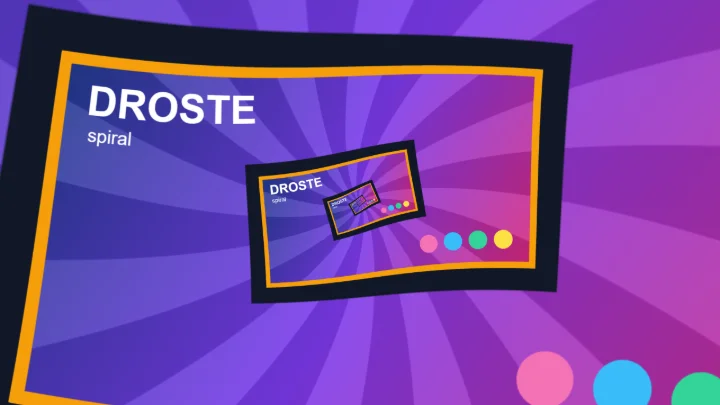

Droste Effect Generator
Put a picture inside itself, again and again, forever.
This free online tool creates the Droste effect: a picture that contains a smaller copy of itself, which contains an even smaller copy, and so on, until the copies are too small to see. It is the classic recursive image, also known as a picture in a picture or mise en abyme: a photo of someone holding that same photo, a screen showing itself, a frame on the wall with the whole room inside it.
Upload a photo, choose the size and the position of the nested copy, optionally rotate each copy a little more than the previous one, and download the result as a PNG image. With a transparent PNG, the copies can also appear through a hole of the image, such as an empty picture frame or a window.
Want to twist the copies into an Escher spiral? Use the Droste Spiral Generator. To zoom endlessly into the copies, use the Infinite Zoom Animation Generator.
Everything runs directly in your browser. No image is uploaded to a server, and nothing needs to be installed.
Drop your image here
How to create a Droste effect image?
- Upload your image - Any photo works. You can also paste an image with Ctrl+V, or click "Try it with a sample image".
- Place the nested copy - Choose the size and the position of the smaller copy of the image. Put it over something in the photo that can show a picture: a picture frame, a phone or computer screen, a TV, a book, a poster, a window or a mirror.
- Rotate the copies (optional) - Give each copy a small rotation to make the copies turn as they get smaller, or match the angle of a tilted frame in your photo.
- Choose the placement - "On top of the image" works with any photo. With a transparent PNG, "Behind the image" makes the copies appear only through the transparent hole.
- Download the image - Click "Download image" to save the result as a PNG, with the full resolution of your image.
Options
| Field | Description | ||||||
|---|---|---|---|---|---|---|---|
| Size | The size of the nested copy, in percent of the size of the image. Each copy has this size relative to the copy that contains it, so smaller values give fewer, faster shrinking copies, and bigger values give a deep tunnel with many visible levels. | ||||||
| Horizontal and vertical position | Where the nested copy is placed inside the image: 0% puts it against the left (or top) border, 50% in the center and 100% against the right (or bottom) border. All the following copies go to the same relative place, so they converge towards a single point. | ||||||
| Rotation per level | Rotates the nested copy relative to the image that contains it, in degrees (positive values turn clockwise). Since every copy contains a copy rotated by the same angle, the copies turn more and more as they get smaller, and form a spiral of pictures around the point where they converge. | ||||||
| Placement | How the nested copy is combined with the image.
| ||||||
| Anti-aliasing | Computes several samples for each pixel and averages them, which smooths the thin details of the smallest copies. The preview uses it a moment after you stop moving the sliders. The download is always rendered with the full size of the image. | ||||||
| Transparent background | Keeps the transparent parts of the result transparent. Turn it off to fill them with a color. |
Ideas for Droste effect pictures
- A photo in your hands - Take a picture of yourself holding a printed photo or a tablet, and put the copy over it: you hold a picture of yourself holding a picture, forever.
- A screen inside the screen - Place the copy over the monitor, the laptop, the phone or the TV of a photo, for the classic "computer showing itself" image.
- A frame on the wall - Cut out the inside of a picture frame in an image editor, save it as a transparent PNG, and use "Behind the image": the room appears inside its own frame.
- A product box - Like the original Droste cocoa package, show a product whose packaging carries its own picture.
- A book or a magazine cover - A cover that shows someone reading that same cover.
How does it work?
The nested copy is the whole image, scaled down by a factor s (s = 4 when the copy has 25% of the size), moved and optionally rotated. The tool applies that same transformation again to the copy, and again, so the copy at level k is scaled down by sk. The sizes of the copies form a geometric sequence: with a copy of 25%, the 5th copy is already about 1000 times smaller than the image.
Since each step shrinks and moves the image in the same way, all the copies converge to a single point, the fixed point of the transformation: the only point of the image that stays in place when the image is replaced by its copy. In theory there are infinitely many copies around that point. In practice the tool stops when a copy becomes smaller than a pixel, which takes only a few levels even for very large images.
To keep every copy sharp, the tool does not shrink the previous copy again and again, which would make it blurrier at each level. Each pixel of the result is instead read directly from the original image, at the level where it belongs, with the full resolution of the image.
Frequently Asked Questions (FAQ)
Is this Droste effect generator free to use?Yes, this tool is 100% free and works directly in your browser, with no installation and no sign-up required.
Are my images uploaded to a server?No. The effect is calculated by your own browser and the image never leaves your computer.
What is the Droste effect?It is the effect of a picture that appears inside itself, recursively. It is named after the Dutch cocoa brand Droste, whose packaging, from 1904, showed a nurse holding a tray with a box of Droste cocoa that carries the same picture.
What does "mise en abyme" mean?It is a French expression, literally "placed into the abyss", for a work that contains a copy of itself: a picture in a picture, a story within a story, a play within a play. The Droste effect is its visual form.
Can I put the copies inside a picture frame with a transparent hole?Yes. Upload a PNG where the inside of the frame is transparent, then place the copy over the hole. The "Behind the image" placement is selected automatically for images with transparent pixels, so the copies only appear through the hole.
Why are there empty or colored areas in the result?With the "Behind the image" placement, the copy only fills the transparent pixels that it covers. When the transparent hole is bigger than the copy, or has a different shape, the uncovered parts stay transparent (or take the background color). Adjust the size and the position of the copy to fill the hole.
Can I make an Escher spiral instead?Yes, with the Droste Spiral Generator. It starts from the same nested copies and twists them into a seamless spiral, like M. C. Escher's lithograph Print Gallery.
Can I make an animation that zooms into the picture forever?Yes, with the Infinite Zoom Animation Generator, which loops the zoom through the nested copies and exports it as an animated GIF or a video.
Is the transparency of my image preserved?Yes. The result is a PNG image, and the transparent areas stay transparent unless you turn off "Transparent background".