
Infinite Zoom Animation Generator
Turn any image into an endless, seamlessly looping zoom animation, and download it as a GIF or a video.
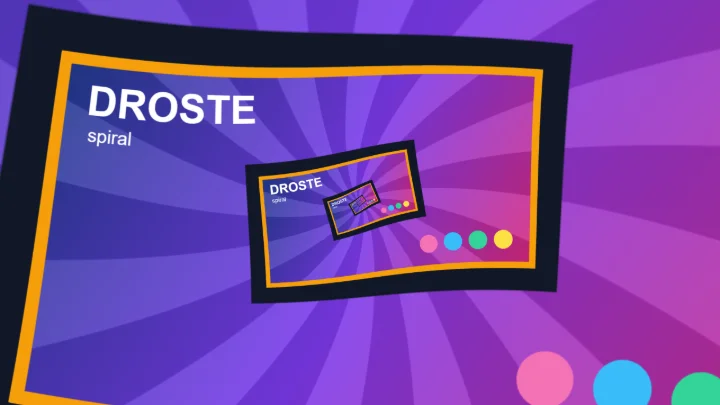
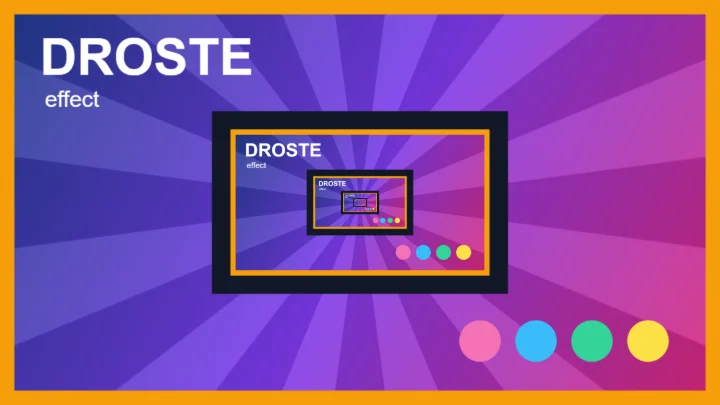
This free online tool creates an infinite zoom animation from a single image. The image is placed inside itself, again and again (the Droste effect), and the animation zooms into it forever: every time the zoom reaches the smaller copy, the copy has become the whole image, and the animation starts over without any visible jump.
Choose where the copy goes, the direction and the speed of the zoom, add a spin or twist the zoom into an Escher-like spiral, and download the result as a perfectly looping animated GIF or WebM video.
Everything runs directly in your browser. No image is uploaded to a server, and nothing needs to be installed.
Drop your image here
How to create an infinite zoom animation?
- Upload your image - Any photo works. You can also paste an image with Ctrl+V, or click "Try it with a sample image".
- Place the nested copy - Choose the size and the position of the smaller copy of the image. The animation zooms towards the point where the copies get infinitely small. A picture frame, a screen, a window or a door in your photo are great places for it.
- Set up the animation - Choose whether it zooms in or out, how long one loop lasts, and optionally add a spin or a spiral.
- Choose the output - An animated GIF works everywhere, a WebM video has better colors and smaller files. Choose the size and the number of frames per second.
- Download the animation - Click the download button and wait while the frames are created. The animation loops seamlessly, so it can be played on repeat forever.
Options
| Field | Description | ||||||
|---|---|---|---|---|---|---|---|
| Size | The size of the nested copy, in percent of the size of the image. One loop of the animation zooms from the image to this copy, so smaller copies give a faster zoom. | ||||||
| Horizontal and vertical position | Where the nested copy is placed inside the image: 0% puts it against the left (or top) border, 50% in the center and 100% against the right (or bottom) border. The animation zooms towards the point where the copies converge, so it moves with the copy. | ||||||
| Rotation per level | Rotates the nested copy relative to the image that contains it, in degrees. Since every copy contains a copy rotated by the same angle, the image turns by that angle during each loop, while it zooms. | ||||||
| Placement | How the nested copy is combined with the image.
| ||||||
| Direction | "Zoom in" goes deeper into the image, towards the smaller copies. "Zoom out" goes the other way, and new levels keep appearing around the image. | ||||||
| Loop duration | The time, in seconds, that it takes to zoom from the image to its nested copy. At that point the animation looks exactly like its first frame, so it starts over without a jump. A longer duration gives a slower zoom and a bigger file. | ||||||
| Spin | The number of full turns that the image makes during one loop, while it zooms. It is always a whole number of turns, so the loop stays seamless. Negative values turn the other way. | ||||||
| Spiral strands | 0 gives a straight zoom. Other values twist the image into a spiral with that number of arms, like M. C. Escher's Print Gallery, and the animation then flows along the spiral. Negative values make the spiral turn in the opposite direction. The same spiral can be made as a still image with the Droste Spiral Generator. | ||||||
| Rotation of the whole image | Turns all the levels of the image together around the center of the zoom, in degrees. It changes the framing, not the animation. | ||||||
| Format |
| ||||||
| Size | The size, in pixels, of the longest side of the animation. The other side keeps the proportions of the image. | ||||||
| Frames per second | More frames give a smoother animation, but a bigger file and a longer wait. GIF only allows 10, 20, 25 or 50 frames per second, the frame rates that GIF players can play at the exact speed. | ||||||
| Anti-aliasing | Computes several samples for each pixel and averages them, which smooths the very thin details near the center of the zoom. The preview only uses it while the animation is paused. | ||||||
| Transparent background | Keeps the transparent parts of the image transparent in the GIF. Turn it off to fill them with a color. Videos always use the background color. |
How does it work?
The trick behind every infinite zoom is self-similarity. The image contains a copy of itself, scaled down by a factor s (s = 4 when the copy has 25% of the size), and that copy contains another copy, and so on. Zooming into that image by exactly s gives back exactly the same image, so an animation that zooms by s during one loop ends where it started, and can repeat forever.
The zoom of the animation is exponential: the image is magnified by the same factor in each frame (s1/n for n frames), instead of growing by the same number of pixels. That's what makes the zoom look like it goes at a constant speed at every level, without slowing down or speeding up.
Each frame is computed with the complex logarithm of the image, measured from the point where the copies get infinitely small. In the logarithm, zooming becomes a simple shift and turning becomes a vertical shift, so the zoom, the spin and the spiral are all just shifts and rotations of a repeating pattern. The Droste Spiral Generator explains that transformation in more detail.
Frequently Asked Questions (FAQ)
Is this infinite zoom generator free to use?Yes, this tool is 100% free and works directly in your browser, with no installation, no sign-up and no watermark.
Are my images uploaded to a server?No. The animation is created by your own browser and the image never leaves your computer.
Why does the animation loop without a jump?Because the image is nested inside itself: after zooming into the nested copy, the copy fills the whole frame and looks exactly like the image at the start. The animation zooms by exactly one level per loop, so its last frame leads straight back into its first one.
How do I make the GIF smaller?Reduce the size, the frames per second or the loop duration. A GIF stores every frame separately, so its size grows with each of them. For long or large animations, the WebM video is usually 5 to 10 times smaller.
How do I get an MP4 video?Download the animation as a WebM video and convert it with any video converter. Most video editors and social networks also accept WebM directly.
Can I zoom into a specific part of my photo?Yes. The animation zooms towards the nested copy, so move the copy (with the horizontal and vertical position) and change its size until it sits on the part you want, such as a picture frame or a screen in the photo.
Why are there empty or colored areas in the animation?With the "Behind the image" placement, the copy only fills the transparent pixels that it covers. When the transparent hole is bigger than the copy, or has a different shape, the uncovered parts stay transparent (or take the background color). Adjust the size and the position of the copy to fill the hole.
Why does the center of the zoom look blurry?Near the center, the copies are smaller than a pixel, so there is no more detail to show. A large image and a higher anti-aliasing give the sharpest results.
Can I make a still image instead of an animation?Yes. The Droste Effect Generator makes a still image of the nested copies, and the Droste Spiral Generator a still image of the spiral. Both download a PNG image at the full resolution of your image.
Related tools