
Mandelbulb 3D Fractal
Explore the Mandelbulb, the 3D version of the Mandelbrot set: rotate it, zoom in and fly through it in real time.
This is a free online Mandelbulb explorer. Drag the image to rotate the fractal around the point under the mouse pointer, use the mouse wheel to zoom in exactly where the pointer is, and fly between the bulbs with the W, A, S and D keys. Change the power of the formula, the colors and the lighting, and download what you see as a PNG image of any resolution, up to 4K.
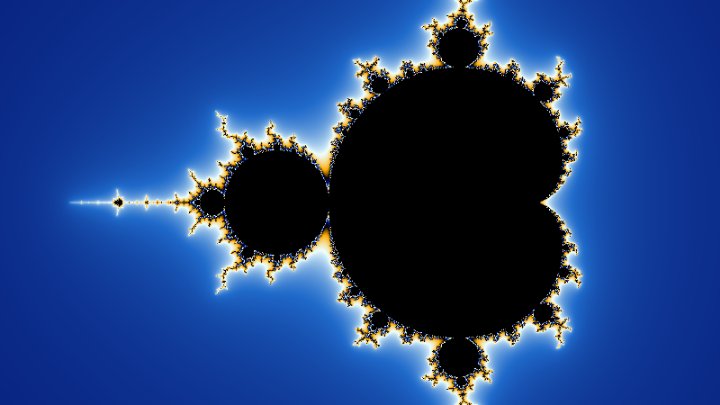
The Mandelbulb is a three-dimensional fractal discovered in 2009 by Daniel White and Paul Nylander. It applies the idea of the Mandelbrot set to points in space instead of points on a plane, and its surface is covered with buds, spirals and valleys that keep revealing new detail as you get closer.
The fractal is drawn by your own graphics card, with WebGL. No image is uploaded to a server, and nothing needs to be installed.
Fractal options
Drag the image to rotate the fractal, use the mouse wheel to zoom where the pointer is, right-drag or shift-drag to move sideways, and double-click to center a point. Click the image and use W, A, S, D (or the arrows) to fly, Q and E to go down and up, and hold Shift to go faster. On a phone, use one finger to rotate and two fingers to zoom.
How to explore the Mandelbulb?
To explore the fractal and save your own image of it, follow these steps:
- Pick a starting view - The buttons above the image show the classic Mandelbulb, the view from its top, two views a hundred times closer to the surface, the shapes of other powers, and a Julia version of the fractal.
- Rotate the fractal - Drag the image with the mouse. The fractal turns around the point that was under the pointer when you started dragging, so you can rotate around any bud of the surface. On a phone, drag with one finger.
- Zoom in where you want - Turn the mouse wheel over the detail you want to see: the camera moves toward that point and it stays under the pointer. On a phone, pinch with two fingers. Double-click a point to bring it to the center of the image.
- Fly through the fractal - Click the image and use the W, A, S and D keys (or the arrow keys) to fly forward, backward and sideways, and Q and E to go down and up. The closer you are to the surface, the slower you fly, so you can go deep into the valleys without crashing. Choose "Turns the camera" in "Dragging the image" to look around with the mouse, like in a game.
- Change the formula - Change the power to get a different number of bulbs, raise the iterations for a finer surface, or turn on the Julia mode and move the constant c.
- Choose the colors and the light - Pick a palette and what it follows on the surface, and move the light, the shadows, the ambient occlusion, the fog and the glow until the image looks the way you want.
- Download the image - Choose the resolution and click "Download PNG image". The image is saved as soon as every sample of every pixel has been calculated.
While the camera moves, the image is calculated with fewer pixels so it can follow the mouse smoothly. When the camera stops, the tool calculates the image again at full resolution, several times per pixel, which smooths the edges.
Settings
Below are the parameters you can configure to draw the Mandelbulb.
| Field | Description |
|---|---|
| Power | The exponent of the formula. The classic Mandelbulb has power 8, which gives it 8 big bulbs around its equator. Power 2 gives a smooth, round shape with few details, and higher powers give more bulbs, each one smaller. Fractional powers are allowed too. |
| Iterations | How many times the formula is applied to each point. Few iterations draw a soft, rounded shape; more iterations reveal the fine detail of the surface, and take longer to draw. Between 8 and 15 is enough for most views. |
| Julia mode | Uses the same constant c for every point instead of the position of the point, which draws a 3D Julia set. Each value of c gives a completely different shape. |
| Animate the power | Makes the power go up and down continuously, so the fractal changes its shape while you watch. The variation and the speed of the animation can be adjusted. |
| Dragging the image | What happens when you drag the image: rotate the fractal around the point under the pointer, or turn the camera on the spot, to look around like in a game. |
| Field of view | The angle that the camera sees, from the top of the image to the bottom. Small angles look like a telephoto lens, with little perspective; big angles look like a wide angle lens, and are useful when the camera is inside a valley. |
| Flying speed | The speed of the keyboard, relative to the distance to the surface: with 1, the camera covers in one second the distance that separates it from the closest point of the fractal. |
| Detail | The distance, in pixels, at which a ray is considered to have reached the surface. Lower values show sharper details and need more steps; higher values are faster and softer. |
| Maximum steps of each ray | The largest number of jumps that a ray can make before giving up. The rays that pass very close to the surface need many small jumps, so too few steps leave holes and dark patches near the edges. |
| Step size | The fraction of the estimated distance used in each jump. The estimate is exact only for some powers, so smaller steps remove the gaps and stripes that can appear with other powers, at the cost of speed. |
| Samples per pixel | How many times each pixel is calculated, each time at a slightly different position inside the pixel, once the camera stops. The average of the samples gives smooth edges without jagged steps. |
| Palette | The colors used to paint the surface: Ivory, Gold, Classic, Fire, Ice, Electric, Sunset, Rainbow, Forest or Grayscale. |
| Color by | What chooses the color of each point of the surface: the orbit trap (how close the iterations of the point came to the center), the number of iterations needed to escape, the distance from the center of the fractal, or the direction the surface is facing. |
| Color cycles / Color offset | How many times the palette repeats over the surface, and a rotation of the palette that changes the colors without changing where the color bands are. |
| The light follows the camera | Keeps the light in the same position relative to the camera, so the side you are looking at is always lit. Turn it off to fix the light to the fractal, like a sun. |
| Direction and height of the light | Where the light comes from. A low light makes long shadows that show the relief of the surface. |
| Shadows | Calculates the soft shadows that the bulbs cast on each other. Turning them off makes the image faster to draw. |
| Ambient occlusion | Darkens the cavities and the bottom of the valleys, which receive less light from the sky. It gives the surface a sense of depth. |
| Fog | Fades the farther parts of the fractal into the background color. It always starts at the distance of the closest surface, at any magnification. |
| Glow | A halo around the fractal, drawn where the rays passed close to the surface without touching it. |
| Background colors | The colors at the top and at the bottom of the background, which form a vertical gradient. |
| Resolution / Width / Height | The size of the generated image in pixels. Choose one of the common display resolutions, or type any width and height. |
What is the Mandelbulb?
The Mandelbrot set is drawn by repeating the formula zn+1 = zn² + c with complex numbers, which are points of a plane. Squaring a complex number squares its distance to the origin and doubles its angle. For many years people looked for a 3D version of this formula, and in 2009 Daniel White and Paul Nylander found one that works surprisingly well: write the point in spherical coordinates, with a distance r and two angles θ and φ, then raise the distance to the power n and multiply both angles by n:
zn = rn · (sin(nθ)·cos(nφ), sin(nθ)·sin(nφ), cos(nθ))
The point belongs to the Mandelbulb when repeating z = zn + c, starting from the point itself, never runs away to infinity. With n = 2 the shape is rather plain, but with n = 8 it becomes the famous Mandelbulb, covered with bulbs that carry smaller bulbs, which carry even smaller ones.
A 3D fractal cannot be drawn pixel by pixel like the Mandelbrot set, because each pixel shows the first point of the surface along a line of sight. This tool uses ray marching: for every pixel, the graphics card follows the ray that leaves the camera and jumps forward by the distance estimate, a formula that says how far the closest point of the fractal is at least. When that distance becomes smaller than the size of a pixel, the ray has reached the surface. The same estimate is used to calculate the light, the shadows and the ambient occlusion.
Frequently Asked Questions (FAQ)
Is this Mandelbulb explorer free to use?Yes, this tool is 100% free and works directly in your browser, with no installation and no sign-up required.
Are the images uploaded to a server?No. The fractal is calculated by the graphics card of your own computer or phone, and the image never leaves your device.
Can I use the generated images in my own projects?Yes. The images are generated by a mathematical formula, and you can use them in websites, wallpapers, posters, videos, games and printed material.
Why is it slow, or blurry while it moves?Every pixel needs hundreds of jumps along its ray, and every jump applies the formula about ten times, so a single image takes hundreds of millions of calculations. A dedicated graphics card does it many times per second; an integrated graphics chip or a phone is several times slower. To keep the movement smooth, the tool automatically calculates fewer pixels while the camera moves, and the full resolution image when it stops. Turning off the shadows, lowering the iterations or choosing a smaller resolution also helps.
How deep can I zoom?About ten thousand to one hundred thousand times. Graphics cards calculate with 32 bit numbers, which have about 7 decimal digits, and when the camera gets very close to the surface they can no longer tell two neighbor pixels apart, so the surface turns noisy. The 2D Mandelbrot Set Generator can zoom much deeper because it calculates with the 64 bit numbers of the processor, but that is far too slow for a 3D fractal in real time.
Can I go inside the fractal?No: the inside of the Mandelbulb is solid, so there is nothing to see there. The camera slows down as it gets close to the surface and stops before touching it. To go deeper, fly into the gaps between the bulbs, where the valleys go on and on.
What does the power change?The power is the number of times the angles of each point are multiplied. Power 8 gives the classic Mandelbulb, with 8 bulbs around the equator. Lower powers give smoother shapes, and higher powers give more bulbs that are smaller and more spiky. Turn on "Animate the power" to see the shape morph from one power to another.
What is the Julia mode?Like the Julia sets of the 2D Mandelbrot set, it uses the same constant c for every point of space, instead of the position of the point. Each value of c gives a different 3D shape, and values close to the surface of the Mandelbulb give the most interesting ones.
Why do I see holes or stripes on the surface?The distance estimate is only an approximation, especially for powers far from 8. If a ray jumps too far, it can go through a thin part of the surface. Lower the "Step size", raise the "Maximum steps of each ray", or lower the "Detail" value.
Does it work on my phone?Yes, as long as the browser supports WebGL2, which is the case of every recent browser. Rotate the fractal with one finger and zoom with two. The image is calculated with fewer pixels than on a computer, so it looks blurrier while it moves.
Related tools