
Sunburst Generator
Generate sunburst background images, with rays coming out of the center, and download them as PNG, SVG or animated GIF.
This is a free online sunburst generator. A sunburst background is a timeless pattern, frequently used in advertisements, posters, printables, logos, comics, YouTube thumbnails and more. It's simple but powerful: the rays draw the attention to the center of the image, where you can put a product, a logo, a text or any other content.
Choose the number of rays, their width, the colors and where the center is, add a circle in the middle or a vignette around the edges, and download the result as a PNG image (with a transparent background, if you want), as a SVG vector image for printing at any size, or as an animated GIF with rotating rays.
Everything runs directly in your browser. No image is uploaded to a server, and nothing needs to be installed.
Sunburst options
How to generate a sunburst background?
- Pick a style - Use the buttons above the image to start from one of the ready-made color combinations, or click "Random colors".
- Adjust the rays - Choose the number of rays, how wide they are compared to the gaps between them, and their rotation.
- Move the center - The rays come out of the center of the image by default. Move the center to the bottom for a sunrise, or to a corner for light beams coming into the image.
- Choose the colors - Type a color code or click the color button to pick one. Turn on "Transparent background" to keep only the rays, and place them over another image.
- Add the finishing touches - Draw a circle in the center, where a logo or a product will go, and add a vignette to darken the edges.
- Choose the resolution - Select one of the common resolutions, or type any width and height up to 4096 pixels.
- Download - Click "Download PNG image" to save exactly what you see, "Download SVG" for a vector image that can be printed at any size, or "Download GIF" for an animation of the rotating rays. "Rotate the rays" shows the animation before you download it.
Settings
Below are the parameters you can configure to generate the sunburst background.
| Field | Description |
|---|---|
| Number of rays | How many rays come out of the center. The circle is divided into this number of equal slices, and each slice has one ray and one gap. |
| Ray width (%) | How much of its slice each ray takes. At 50% the rays and the gaps have the same width; lower values make thin rays on a wide background, higher values make wide rays with thin gaps. |
| Rotation (degrees) | Turns all the rays around the center. |
| Center X / Center Y (%) | The point the rays come out of, as a percentage of the width and the height of the image. 50% / 50% is the middle of the image. Values below 0% or above 100% place the center outside the image. |
| Ray color / Background color | The colors of the rays and of the gaps between them, as a hexadecimal code such as #FFCC00. |
| Transparent background | Leaves the gaps between the rays transparent in the PNG and the SVG, so the rays can be placed over another image. The GIF always uses the background color, because it can't store soft transparent edges. |
| Draw a circle in the center | Covers the center of the sunburst with a circle of a solid color, with a size given as a percentage of the shorter side of the image. |
| Vignette strength / color | Fades the image towards a color (usually black) from the center to the edges, which gives depth and a retro look. 0% turns it off. |
| Duration of one loop | The time, in seconds, that the rays take to turn until each ray is where the next one was. From there the image is the same as at the start, so the GIF repeats without a jump. |
| Frames per second of the GIF | How many frames are saved for each second of the GIF. More frames make a smoother animation and a bigger file. The GIF has at most 300 frames. |
| Turn clockwise | The direction the rays turn in the animation. |
| Resolution / Width / Height | The size of the generated image in pixels, up to 4096 x 4096. Choose one of the common display resolutions, or type any width and height. |
Examples
Below are some examples of sunburst background images generated with this online tool.
| Image | Parameters |
|---|---|
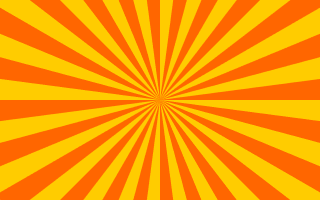 | Background color: #FF6600 Ray color: #FFCC00 Number of rays: 24 |
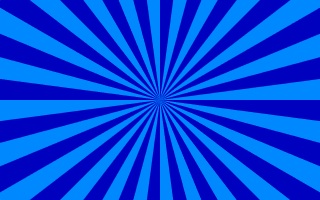 | Background color: #0088FF Ray color: #0000BF Number of rays: 24 |
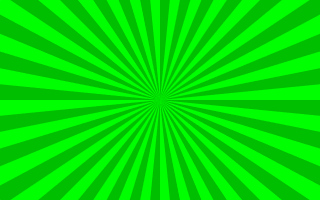 | Background color: #00FF00 Ray color: #00BF00 Number of rays: 32 |
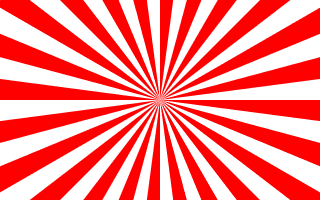 | Background color: #FFFFFF Ray color: #FF0000 Number of rays: 24 |
Frequently Asked Questions (FAQ)
What is a sunburst background?It's a pattern of rays that come out of one point, alternating between two colors, like the rays of the sun. It was very popular in the vintage posters and advertisements of the 1950s and 1960s, in comics and in pop art, and it's still used to make a product, a price or a title stand out.
Is this sunburst generator free to use?Yes, this tool is 100% free and works directly in your browser, with no installation and no sign-up required.
Are the images uploaded to a server?No. The image is drawn by your own browser and never leaves your computer.
Can I use the generated images in my own projects?Yes. You can use them in websites, thumbnails, videos, presentations, printed material and commercial designs.
How do I make a sunburst with a transparent background?Turn on "Transparent background" and download the PNG or the SVG. Only the rays (and the center circle and vignette, if you use them) are drawn, and you can place them over any other image.
Which format should I use for printing?Use the SVG. It's a vector image, made of shapes instead of pixels, so it stays sharp at any size, from a sticker to a billboard, and it can be edited in programs such as Inkscape, Illustrator or Figma.
How do I create an animated sunburst?Click "Rotate the rays" to see the animation, adjust the duration of one loop and the direction, and click "Download GIF". The GIF contains exactly one loop, so it repeats forever without a visible jump.
How do I make rays coming from a corner or from the bottom?Change "Center X" and "Center Y". For example, 50% / 100% puts the center at the middle of the bottom side, like a rising sun, and 0% / 0% puts it at the top left corner.
Related tools