
Wave Function Collapse
Create new maps, levels and textures from a small sample image with the Wave Function Collapse algorithm.
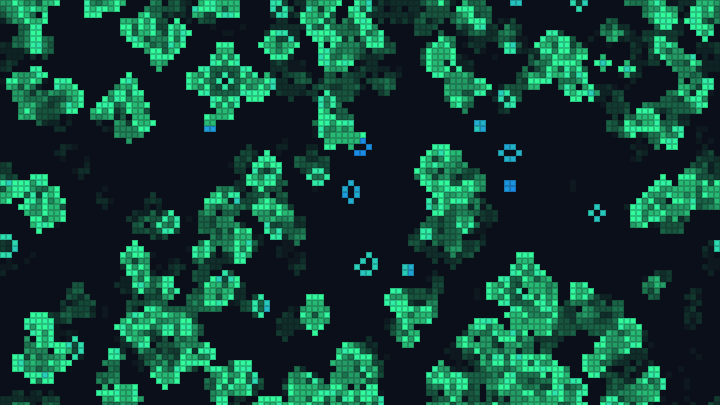
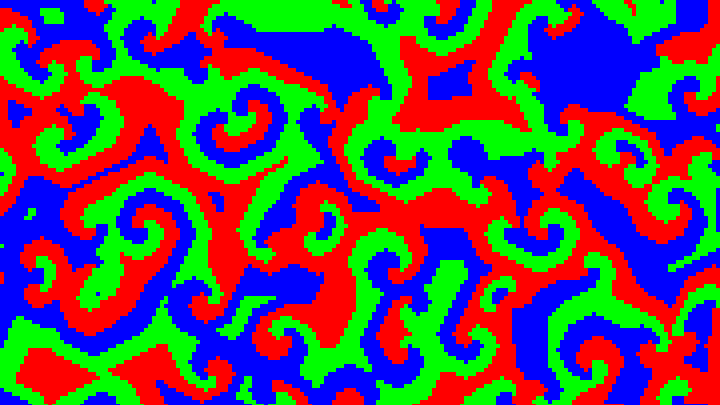
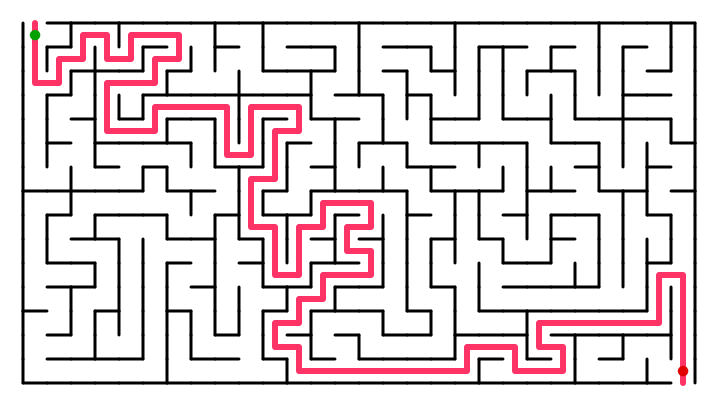
This is a free online Wave Function Collapse generator. Give it a small sample image, like a piece of a dungeon, a map, a maze or a texture, and it creates a new, bigger image that looks the same everywhere you look closely: every small square of the result (3 x 3 pixels, for example) is a square that appears somewhere in the sample. Try one of the samples, or use your own pixel art or tile map, and download the result as a PNG image or as a JSON map of colors or tiles.
Wave Function Collapse is a popular procedural generation algorithm for game developers: it creates endless variations of levels, dungeons, cities, terrains and textures that follow the style of a hand-made example, without writing any rules. Watch it work step by step: the cells that are not decided yet show the average of the colors they can still become, and the image "collapses" into a final result.
Everything runs directly in your browser. No image is uploaded to a server, and nothing needs to be installed.
Options
Click on the image to create a new random output with the same options.
How to use Wave Function Collapse?
To create a new map, level or texture from a sample, follow these steps:
- Choose a sample - Click on one of the samples: a dungeon, islands, a maze, a cave, a platform game level, a tile map, bricks or a town. Each one comes with the settings that suit it best.
- Or use your own image - Drop a small image in the box, or paste it with Ctrl+V. The algorithm works best with pixel art of a few colors, up to about 64 x 64 pixels. If your image is a tile map, type the size of its tiles in "Tile size": the result is then made of the same tiles.
- Watch it generate - The output starts as a blur of all the possible colors. Cell after cell, the algorithm makes a choice and the image becomes sharp. Choose the speed of the animation, or "Instant" to see only the result.
- Click on the image for a new output - Every click picks a new random seed. Write down the seed of an output you like: typing it again recreates exactly the same output.
- Adjust the patterns - A bigger pattern size copies bigger pieces of the sample, a smaller one mixes them more freely. Turn on the rotations and mirrors for top-down maps and textures, to get more variety from a small sample.
- Set up the output - Choose its width and height, make it seamless to use it as a repeating texture, or turn on the ground for a side view with a floor at the bottom.
- Download the result - Save it as a PNG image, either with big pixels as shown or at its real size (one pixel per pixel of the sample, or the real tiles), or as a JSON map with the color or tile number of every cell, to use it in a game or a level editor.
Settings
Below are the parameters you can configure to generate the output.
| Field | Description |
|---|---|
| Sample image | The image the algorithm learns from. It reads every small square of the sample, and builds an output where every small square is one of them. Choose one of the built-in samples, or use your own image. |
| Tile size of your image | With 1, every pixel of your image is a cell, with its color. With a bigger value, the image is cut into tiles of that size, every tile is a cell, and identical tiles are treated as the same cell. Use it with the tile maps of games, made of 8 x 8, 16 x 16 or 32 x 32 pixel tiles. |
| Pattern size (N) | The size of the squares (N x N cells) copied from the sample. With 2, the output only respects which cells can be next to each other, and looks more random. With 3, the most common choice, it keeps lines, corners and small shapes. With 4 or 5 it keeps bigger structures, but it needs a bigger sample, finds fewer different outputs and takes longer. |
| Symmetry | Adds the rotated and mirrored copies of every pattern of the sample. This multiplies the variety of a small sample, and is ideal for top-down maps, mazes and textures. Keep it off (or only mirrored left-right) for side views, which must keep their sky at the top. The tiles of a tile map are always used as they are. |
| The sample wraps around | Also reads the patterns that cross the right and bottom edges of the sample, continuing on the left and top edges, as if the sample was a repeating tile. Turn it off if the edges of your sample do not continue on each other. |
| Width / Height | The size of the output, in cells (pixels, or tiles for a tile map), up to 200 x 200. Bigger outputs take longer and need more memory, especially for samples with many patterns. |
| Seamless output (tileable) | Makes the output wrap around: the patterns on the right side also fit the left side, and the bottom fits the top. The result can then be repeated side by side as a seamless texture or a looping map. The tiled preview shows it repeated 2 x 2. |
| Ground (side view) | For side views, like the levels of a platform game or a skyline. The bottom row of the output can only use the patterns found at the bottom of the sample, and the patterns found only at the bottom of the sample stay there. With the ground on, the sample and the output only wrap horizontally. |
| Seed | The number that the random choices are made from. The same seed and the same options always create the same output, on any computer. |
| Next cell to decide | How the algorithm picks the next cell to decide. "Lowest entropy" picks the cell with the fewest possibilities left (weighted by how often they appear), which is the classic choice and rarely fails. "Scanline" decides the cells in order, row by row, from the top left. |
| Backtracking | Sometimes a cell ends up with no possible pattern, a contradiction. With backtracking, the algorithm undoes its last choice, forbids it, and tries something else; if that keeps failing, it undoes more and more choices at once. Without it, the algorithm starts again from scratch, like the original algorithm. Backtracking finds an output much more often with difficult samples and big outputs. |
| Speed of the animation | How many choices are made in each frame of the animation: one with "Slow", so you can follow the algorithm cell by cell, and as many as possible with "Instant". The result is the same at every speed. |
| Pixel size | How big every pixel of the output is shown, and saved by "Download PNG image". "PNG at 1 pixel per pixel" always saves the output at its real size. |
| Download JSON map | Saves the output as numbers: the width and the height, the number of the color (or tile) of every cell, row by row, and the list of the colors of the sample (or, for a tile map, where each tile is in the sample image). The numbers can be read by a game or a level editor. |
What is Wave Function Collapse?
Wave Function Collapse (WFC) is an algorithm published by Maxim Gumin in 2016 that generates images similar to a sample. Its name is borrowed from quantum mechanics: before a measurement, a particle is in a superposition of several states at once, and the measurement "collapses" it into one of them. In the same way, at the start every cell of the output can be any pattern of the sample, and the algorithm collapses the cells one by one.
This tool uses the overlapping model of the algorithm:
- Read the patterns - Every N x N square of the sample is a pattern (with its rotations and mirrors, if the symmetry is on). The algorithm counts how often each one appears, and checks which patterns can overlap each other when they are shifted by one cell in each direction.
- Observe - The cell with the lowest entropy, the one with the fewest possibilities left, is collapsed to one of its patterns, chosen at random. The patterns that appear more often in the sample are chosen more often.
- Propagate - Neighbor cells overlap, so the choice removes the patterns of the neighbors that do not agree with it. These removals remove other patterns further away, and so on, like a wave, until everything agrees again.
- Repeat - The algorithm observes and propagates again until every cell has a single pattern. If a cell loses all its patterns, there is a contradiction: the algorithm backtracks (undoes its last choices) or starts over.
The algorithm never needs rules written by hand: the sample is the rule. This made it very popular in games, which use it to build cities, dungeons, terrains and whole worlds, for example in the games Caves of Qud, Bad North and Townscaper. It is related to the texture synthesis methods of computer graphics, and to constraint solving: a WFC output is a solution of a constraint satisfaction problem, found with the "minimum remaining values" heuristic of these solvers.
The original algorithm also has a simple tiled model, where the sample is not an image but a set of tiles with hand-written rules of which tiles can be next to each other. This tool takes another way to work with tiles: with the "Tile size" option, a tile map is read like a pixel art image where every tile is one "pixel", so the overlapping model learns the rules from the map itself, and you don't have to write them.
Tips for good samples
- Keep it small and simple. 16 x 16 to 48 x 48 pixels and 2 to 6 colors are enough. Every different N x N square is one more pattern, so photos, gradients and antialiased images have too many patterns to work.
- Show every case you want. The output can only contain squares that are in the sample: if a corner, a junction or a crossing should appear, draw it at least once.
- Make lines and walls 1 or 2 pixels wide. With a pattern size of 3, a structure wider than 2 pixels has an inside that the patterns cannot see past, and its size becomes random.
- Make the sample tileable if its edges continue on each other, and keep "The sample wraps around" on: it adds the patterns that cross the edges.
- Use symmetry to get variety from very small top-down samples.
Frequently Asked Questions (FAQ)
Is this Wave Function Collapse tool free to use?Yes, this tool is 100% free and works directly in your browser, with no installation and no sign-up required.
Are my images uploaded to a server?No. Your sample image is read and the output is calculated by your own browser, so the image never leaves your computer.
Can I use the generated maps and textures in my games?Yes. The outputs made from the built-in samples are yours to use in any project, including commercial games. For outputs made from your own images, the rights are the same as the rights you have on the sample.
Why does it say that no output was found?Some samples and settings can lead to a contradiction: a cell where no pattern of the sample fits. Backtracking solves most of them. If it still fails, try another seed, a smaller output, a smaller pattern size, or more symmetry, which gives the algorithm more patterns to choose from.
Why does my image give an error about too many patterns?Every different N x N square of the sample is a pattern, and the algorithm compares every pattern with every other one. Photos and smooth images have thousands of different squares. Use pixel art with few colors, a smaller image, a smaller pattern size, or less symmetry.
The output only copies big pieces of the sample. How do I get more variety?Lower the pattern size (from 4 to 3, or from 3 to 2), turn on the symmetry, or draw a sample with more variations. With a big pattern size and a small sample, there are only a few ways to fit the patterns together.
How do I use the result in a game engine?Download the JSON map: it has the color (or tile) number of every cell, row by row. A small script can then place a tile, a wall or an object for each number. For a tile map, the "tiles" list tells where each tile is in your sample image, so the number can be matched with your tileset. The PNG at 1 pixel per pixel can also be read as a map, one pixel per cell.
What is the difference with Perlin noise or a maze generator?Noise like Perlin noise and the plasma fractal creates smooth random terrain, and a maze generator follows one fixed set of rules. Wave Function Collapse follows the style of any sample you give it: the same algorithm makes mazes, dungeons, cities, carpets or brick walls, depending on the sample.
Related tools