
4D Object Viewer
Explore 4D shapes like the tesseract and the hypersphere: see their 3D slices and shadows, and rotate them through the fourth dimension.
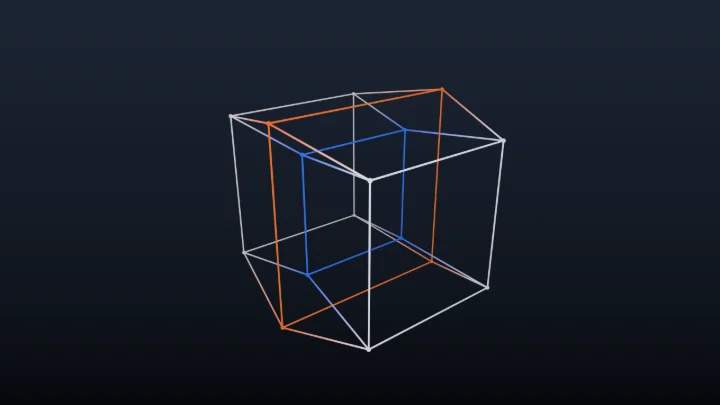
This is a free online viewer of four-dimensional objects. We can't see in 4D, but we can see two things that a 4D object leaves in our 3D world: its slice, the part of the object that crosses our space, and its shadow, the whole object projected to 3D. Choose an object, rotate it in the six planes of 4D space, move the slice along the fourth axis and watch how the 3D shapes change.
The viewer has the six regular 4D polytopes (the tesseract, the 5-cell, the 16-cell, the 24-cell, the 120-cell and the 600-cell), the duoprisms, and curved shapes like the hypersphere, the duocylinder and 4D tori. Download what you see as a PNG image, an animated GIF or a WebM video that loops perfectly.
Everything is drawn by the graphics card of your own device, with WebGL. Nothing is uploaded to a server, and nothing needs to be installed.
Options
Drag the image to turn the camera around the object, and shift-drag or right-drag to rotate the object through the fourth dimension. Use the mouse wheel to zoom. On a phone, drag with one finger and pinch with two to zoom; to rotate through the fourth dimension, change "Dragging the image".
How to explore a 4D object?
To see a four-dimensional object and save an image or an animation of it, follow these steps:
- Choose an object - Click one of the buttons above the image, or choose an object in the "4D object" list. The tesseract (the 4D cube) and the hypersphere (the 4D sphere) are the easiest ones to start with.
- Choose what to show - "Slice" shows the solid that our 3D space cuts out of the object, "Shadow" shows the edges of the whole object projected to 3D, and "Both" shows the slice inside the shadow.
- Move the slice along W - Drag the "Position of the slice along W" slider to move our space through the object, or turn on "Move the slice back and forth along W" to watch the object pass through our space.
- Rotate the object in 4D - Shift-drag or right-drag the image, or move the XW, YW and ZW sliders, to turn the object through the fourth dimension. Notice how the slice changes shape although the object itself never changes. A normal drag turns the camera around it, and the mouse wheel zooms.
- Animate it - Choose how many turns the object makes in each plane during one loop. Try one turn in XW for the classic animation, or one turn in both XW and YZ for a double rotation.
- Choose the colors - Color each cell of the slice differently, or color the slice and the shadow by the fourth coordinate, W, from blue to orange.
- Download it - Click "Download PNG image" to save the current frame, or choose GIF or WebM and click the button below it to save one loop of the animation.
Settings
Below are the options you can change to explore the object and to create your image or animation.
| Field | Description |
|---|---|
| 4D object | The object to show: the six regular 4D polytopes (tesseract, 5-cell, 16-cell, 24-cell, 120-cell and 600-cell), the duoprisms, and the curved shapes (hypersphere, duocylinder, spherinder, cubinder, tiger, ditorus, spheritorus and torisphere). The duoprisms have the number of sides of their two polygons, and the tori have the thickness of their tube. |
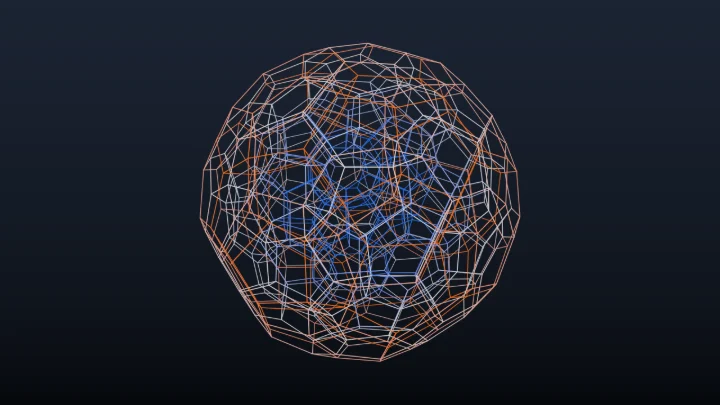
| Show | Slice shows the solid part of the object that is inside our 3D space, like the cross-section of an apple cut by a knife. Shadow shows the whole object, projected from 4D to 3D, as lines. Both shows the slice inside a faint shadow, which tells where the slice is in the object. |
| Position of the slice along W | Moves our 3D space along the fourth axis, W. The objects go from about -1 to 1, so the slice changes shape as it goes through them, and it is empty outside of that range. |
| Projection of the shadow | Perspective makes the parts of the object that are closer to the 4D eye look larger, which gives the famous "cube inside a cube" image of the tesseract. Orthographic simply drops the coordinate W, so the parts that are closer or farther in W have the same size. |
| Distance of the 4D eye | How far from the object the 4D eye is, in the perspective projection. A small distance gives a strong perspective, with a big difference between the near and the far parts. |
| Dragging the image | What happens when you drag the image: turn the camera around the object, as in any 3D viewer, or rotate the object through the fourth dimension, in the plane formed by the direction of the drag and the axis W. Shift-drag or right-drag does the other one. |
| Field of view | The angle seen by the 3D camera, from the top of the image to the bottom. Small angles look flatter, big angles exaggerate the 3D perspective. |
| XY, XZ, YZ, XW, YW and ZW angles | The orientation of the object in 4D. In four dimensions, an object turns in a plane, not around an axis, and there are six planes. XY, XZ and YZ are the ordinary rotations of 3D. XW, YW and ZW mix one of our directions with the fourth one, and turn the object "through" the fourth dimension. |
| Duration of one loop | The time, in seconds, of one loop of the animation, which is also the length of the downloaded GIF or video. |
| Turns in each plane, per loop | How many full turns the object makes in each plane during one loop. Turning in two planes at the same time, like XW and YZ, gives a "double rotation", which only exists in 4D. Whole numbers make an animation that loops perfectly. |
| Move the slice back and forth along W | Moves our 3D space through the object during the loop, so you see the object appear, change shape and disappear, the way a 3D object would look to a 2D creature as it passes through its plane. The distance of the sweep is how far the slice goes on each side. |
| Turns of the camera per loop | Turns the 3D camera around the object during the loop, to show the slice and the shadow from every side. |
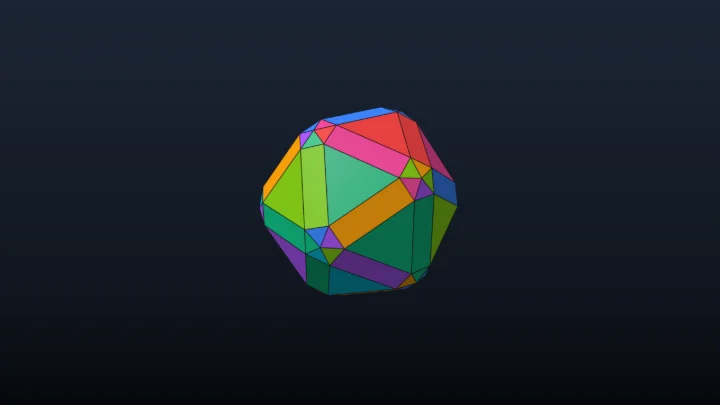
| Color of the slice | A different color for each cell (the 3D faces of a 4D polytope), colors that follow the direction of each point in 4D (so they stay attached to the object while it turns), colors that show whether the surface faces the +W side (orange) or the -W side (blue) of our space, or a single color. |
| Edges of the slice | Draws the edges of the polyhedron formed by the slice of a polytope, with the chosen width and color. |
| Color of the shadow | Colors the lines of the shadow by their coordinate W, from blue (toward -W) to orange (toward +W), or with a single color. The lines that are farther from the camera fade into the background, which makes the depth easier to see. |
| Width of the lines / Opacity / Vertices | The width of the lines of the shadow, its opacity when it is drawn with the slice, and whether the vertices of a polytope are drawn as dots. |
| Background colors | The colors at the top and at the bottom of the background, which form a vertical gradient. |
| Samples per pixel | How many rays are calculated for each pixel of the slice, to smooth its edges. While the object moves, the tool may use fewer samples or fewer pixels to keep the animation smooth on slower graphics cards. |
| Resolution / Width / Height | The size of the image in pixels, which is also the size of the PNG download. Choose one of the common resolutions, or type any width and height. |
| Download the animation | Saves one loop of the animation, starting from the current frame, as an animated GIF or a WebM video, with the chosen width and number of frames per second. |
How can we see in four dimensions?
Imagine a flat creature that lives in a plane, like the characters of the book Flatland. It can never see a 3D cube, but it can see two things. When the cube passes through its plane, it sees a square appear, stay for a while and disappear: that is the slice. If the cube tilts, the slice becomes a rectangle, a triangle or even a hexagon. And when a light shines through the cube onto the plane, it sees the shadow: two squares connected at their corners, with all the edges of the cube squeezed into 2D.
We are in the same situation with 4D objects, one dimension higher. The fourth direction is perpendicular to the three we know, and it is usually called W (its two directions are sometimes called ana and kata). The slice of a 4D object by our 3D space is a solid, and the shadow is a 3D wireframe. This tool shows both, and lets you turn the object to see how they change.
In 3D, things turn around an axis. In 4D they turn in a plane: a rotation in the plane XW mixes the directions X and W, and leaves Y and Z unchanged. There are six such planes (XY, XZ, YZ, XW, YW and ZW), and a 4D object can turn in two of them at the same time, like XW and YZ, without any fixed axis at all. That is called a double rotation, and it has no equivalent in 3D.
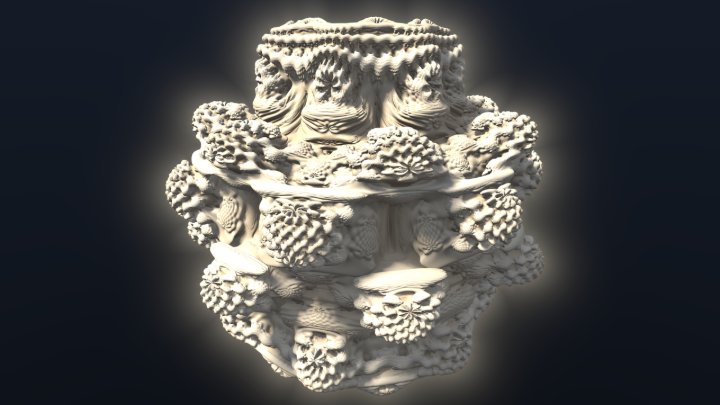
To draw the slice of a polytope, the tool uses the fact that every one of its cells (its 3D faces) is a flat piece of a 3D "wall" in 4D. Our space cuts each wall along a plane, so the slice is a polyhedron, and the graphics card calculates, for every pixel, where the ray of the camera enters it. The curved shapes are drawn by following each ray step by step with their 4D distance function, the same method as the Mandelbulb 3D Fractal.
The 4D objects
| Object | Description |
|---|---|
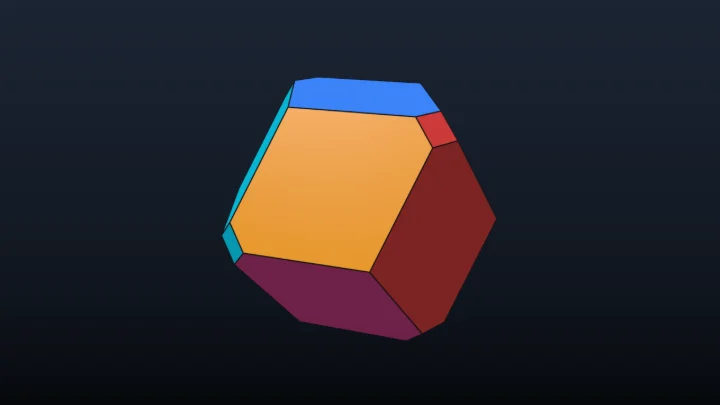
| Tesseract (8-cell) | The 4D cube, also called the hypercube. It has 16 vertices, 32 edges, 24 square faces and 8 cubic cells. See the Tesseract Viewer. |
| 5-cell | The 4D version of the triangle and the tetrahedron, the simplest regular polytope: 5 vertices, all connected to each other, and 5 tetrahedral cells. |
| 16-cell | The 4D version of the octahedron, with 8 vertices (one on each side of each axis) and 16 tetrahedral cells. It is the dual of the tesseract. |
| 24-cell | A regular polytope with 24 octahedral cells that has no equivalent in any other dimension. See the 24-cell Viewer. |
| 120-cell | The 4D version of the dodecahedron: 120 dodecahedral cells, 600 vertices and 1200 edges. See the 120-cell Viewer. |
| 600-cell | The 4D version of the icosahedron: 600 tetrahedral cells, 120 vertices and 720 edges. See the 600-cell Viewer. |
| Duoprism | The product of two polygons, one in the plane XY and one in the plane ZW. Its cells are prisms. The 4-4 duoprism is the tesseract. |
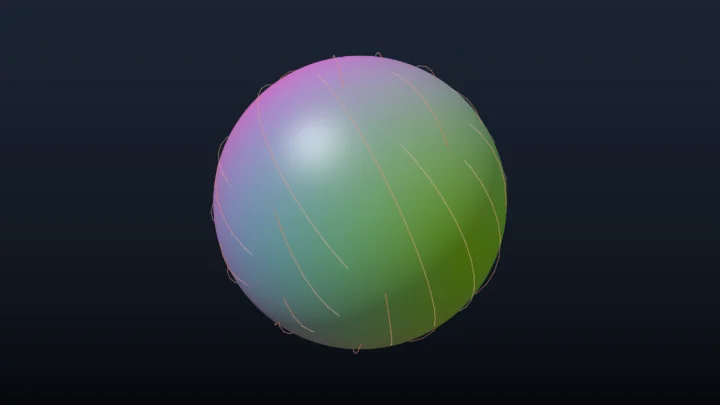
| Hypersphere | All the points at the same distance from the center, in 4D. Its slices are spheres. See the Hypersphere Viewer. |
| Duocylinder | The product of two disks, one in XY and one in ZW. It has two curved cells that meet along a flat torus, and its slices are cylinders and lens shapes. |
| Spherinder and cubinder | The spherinder is a sphere extended along W, like a 4D cylinder with two spherical caps. The cubinder is a cylinder extended along W, a cylinder with square sides in 4D. |
| Tiger, ditorus, spheritorus and torisphere | Four ways to make a torus in 4D: a thick flat torus (tiger), a torus of tori (ditorus), a sphere thickened through W (spheritorus) and a circle thickened into a tube with a spherical cross-section (torisphere). Their slices are pairs of tori, spheres and other surprising shapes. |
Frequently Asked Questions (FAQ)
Is this 4D object viewer free to use?Yes, this tool is 100% free and works directly in your browser, with no installation and no sign-up required.
Is anything uploaded to a server?No. The objects are calculated by the graphics card of your own computer or phone, and the images never leave your device.
What is the difference between the slice and the shadow?The slice is the part of the object that is inside our 3D space, so it is solid and it can be empty if the object is completely on one side of our space. The shadow is the whole object squeezed into 3D: nothing is lost, but the edges overlap and cross each other. Looking at both together is the best way to understand the shape.
Why does the slice change shape when the object turns?Because our space cuts the object in a different direction. A cube cut straight through the middle gives a square, but cut diagonally it gives a hexagon. The same happens one dimension higher: the tesseract can be cut into a cube, a triangular prism, a tetrahedron or an octahedron, depending on its orientation and the position of the slice.
What do the colors of the shadow mean?With "By the coordinate W", each point of the shadow is colored by its fourth coordinate: orange toward +W, gray near 0 and blue toward -W. The lines that are farther from the camera are also dimmer, so you can tell the 3D depth and the fourth coordinate apart.
Can I use the images and animations in my own projects?Yes. They are generated by mathematical formulas, and you can use them in websites, videos, presentations, lessons and printed material.
Does it work on my phone?Yes, as long as the browser supports WebGL2, which is the case of every recent browser. Drag with one finger to turn the camera and pinch with two fingers to zoom. To rotate the object through the fourth dimension with your finger, choose "Rotates the object through the 4th dimension" in "Dragging the image".
Why does the image look blurry while it moves?When the graphics card can't draw every frame in time, the tool uses fewer pixels or fewer samples while the object moves, and draws the full image again as soon as it stops. The 120-cell and the 600-cell, with their hundreds of cells, are the heaviest objects.
Related tools