
Turing Machine
Run Turing machines, like the busy beavers, and draw their whole computation as an image.
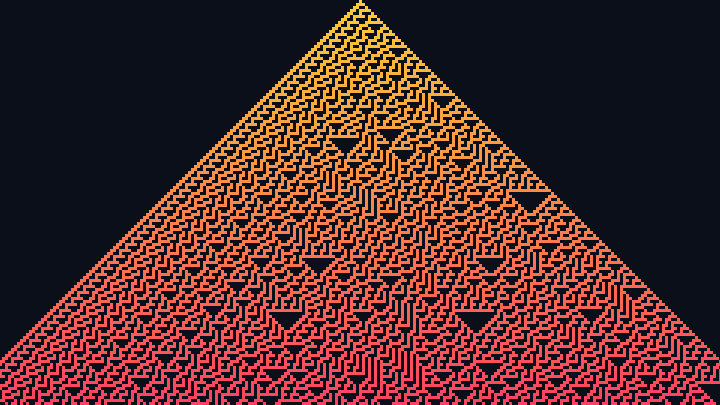
This free online Turing machine runs the simplest model of a computer ever invented: a head that reads and writes symbols on an infinite tape, following a small table of rules. Every step of the computation is drawn as one row of the image, with the tape from left to right and the time going down, so the whole life of the machine becomes a single picture.
Try the famous busy beavers, including the 5-state champion that writes 4098 ones in 47,176,870 steps before halting, or simple programs like a binary counter, a unary adder and a copy machine. Write your own table of rules, paste a machine in the compact notation of the busy beaver community, or generate a random machine and see what it does.
Choose the colors and the size of the cells, and download the result as a PNG image. Everything runs directly in your browser: nothing is uploaded to a server.
Steps: 0Non-blank symbols: 0Tape used: 0 cells
How to run a Turing machine
- Choose a machine - Click one of the famous machines: the busy beavers with 2 to 5 states, a binary counter, a unary adder or a copy machine. Or click "Random machine" to generate a new one with the number of states and symbols you choose.
- Edit the rules - Change the table of rules, or write your own machine: one rule per line, with the state, the symbol read, the symbol written, the move and the next state. The image is updated as you type.
- Write the input - Type the symbols written on the tape before the start, and choose where the head starts. The busy beavers start on an empty tape.
- Set the limits - Choose the maximum number of steps, since many machines never halt, and the maximum number of rows and columns of the image. Long computations are summarized: each row then shows the tape every few steps.
- Customize the image - Choose the size of the cells, the colors of the symbols, and whether the head is shown, colored by its state.
- Download it - Click "Download image" to save the whole computation as a PNG image.
What is a Turing machine?
A Turing machine is the mathematical model of a computer described by Alan Turing in 1936. It has three parts:
- An infinite tape divided into cells, each holding one symbol. Almost all the cells hold the blank symbol.
- A head that sits on one cell of the tape, reads its symbol, writes a new one, and moves one cell to the left or to the right.
- A finite set of states and a table of rules. For the current state and the symbol under the head, the rule says which symbol to write, where to move, and which state comes next.
That is all, and yet a Turing machine can compute anything that any computer can compute: this is the Church-Turing thesis. Turing also used it to prove that some questions can never be answered by a program, like the halting problem: there is no general method to decide if a machine will halt or run forever.
The table of rules
Each line of the table is one rule, with 5 parts separated by spaces or commas:
| Part | Description | Example |
|---|---|---|
| State | The state the rule applies to. Any name works, like A, B or carry. | A |
| Symbol read | The symbol under the head. Any single character works. | 0 |
| Symbol written | The symbol that replaces it. | 1 |
| Move | L to move left, R to move right, N to stay on the same cell. | R |
| Next state | The state of the machine after this step. H (or HALT) stops the machine. | B |
If the machine reaches a state and a symbol with no rule, it stops too. You can also paste a machine in the compact format used by the busy beaver community, where each state is a group of "write, move, next state" triples, one per symbol, and the groups are separated by "_". The 5-state busy beaver is written 1RB1LC_1RC1RB_1RD0LE_1LA1LD_1RZ0LA, where Z is the halt state.
The busy beaver
The busy beaver game, invented by Tibor Radó in 1962, asks a simple question: among all the Turing machines with n states and 2 symbols that start on an empty tape and eventually halt, which one runs the longest, and which one writes the most ones? The answers grow faster than any function a computer can calculate.
| States | Most steps before halting | Most ones written |
|---|---|---|
| 1 | 1 | 1 |
| 2 | 6 | 4 |
| 3 | 21 | 6 |
| 4 | 107 | 13 |
| 5 | 47,176,870 | 4098 |
| 6 | Unknown: more than 10↑↑15, a tower of 15 powers of 10 | Unknown |
The value for 5 states was only proven in 2024, by the bbchallenge collaboration, with a proof checked by a computer. The 5-state champion of this tool is that machine: run it and watch its 47 million steps drawn in a single image.
The famous machines
| Machine | Description |
|---|---|
| Busy beaver (5 states) | The 5-state champion, found by Heiner Marxen and Jürgen Buntrock in 1989. It runs for 47,176,870 steps and leaves 4098 ones on the tape before halting. In 2024, the bbchallenge collaboration proved that no other 5-state machine that halts runs longer. Each row of the image is about 47000 steps. |
| Busy beaver (4 states) | The 4-state champion: it halts after 107 steps with 13 ones on the tape. Both numbers are the maximum possible for a machine with 4 states and 2 symbols. |
| Busy beaver (3 states) | Writes 6 ones, the maximum for a machine with 3 states and 2 symbols, and halts after 14 steps. |
| Busy beaver (2 states) | The simplest busy beaver: it halts after 6 steps with 4 ones on the tape, more than any other machine with 2 states and 2 symbols. |
| Busy beaver (2 states, 3 symbols) | The champion of the machines with 2 states and 3 symbols: it halts after 38 steps with 9 non-blank symbols on the tape. |
| Binary counter | Counts in binary forever: it adds 1 to the number written on the tape, walks back to its last digit, and adds 1 again. It never halts, so it stops at the maximum number of steps. The blank symbol is "_". |
| Unary addition | Adds two numbers written in unary, with a blank cell between them: 111 + 11 is written 111011, and the machine turns it into 11111, so 3 + 2 = 5. |
| Copy | A classic example of the textbooks: it copies a block of ones after itself, one symbol at a time. Starting from 111, it writes 1110111. |
Options
Below are all the options you can configure in this Turing machine.
| Field | Description |
|---|---|
| Table of rules | The program of the machine, one rule per line, or a machine in the compact format of the busy beaver community. |
| Random machine | Generates a machine with the number of states and symbols you choose, where every state has a rule for every symbol and one of the rules halts. Most random machines run forever, and some draw surprising patterns. |
| Input written on the tape | The symbols on the tape before the first step, starting at position 0. The rest of the tape is blank. |
| Start position of the head | The cell where the head starts, where 0 is the first symbol of the input. It can be outside the input. |
| Blank symbol | The symbol of the empty cells of the tape. The busy beavers use 0; other machines often use "_". The compact format always uses 0. |
| Initial state | The state of the machine before the first step. When it is empty, the machine starts in the state of the first rule. |
| Maximum number of steps | The machine is stopped after this number of steps if it did not halt before, up to 200,000,000 steps. |
| Maximum number of rows | The height of the image in rows. When the computation has more steps than rows, each row shows the tape every few steps, and the number of steps per row is shown above the image. |
| Maximum number of columns | The width of the image in columns. When the machine uses more cells of tape than columns, each column shows the average color of several cells. |
| Width of a cell and height of a step | The size, in pixels, of each cell of the tape and of each row of the image. |
| Colors | The color of the blank cells, and the colors of the other symbols: the first symbol gets the first color, the last symbol gets the last color, and the symbols between them get a gradient. |
| Show the head | Marks the position of the head on every row: with a ring when the cells are big, or by coloring its cell when they are small. The color of the head can show its state, which makes the structure of the program visible. |
Frequently Asked Questions (FAQ)
Is this Turing machine free?Yes. The tool is completely free, there is no registration, and everything is computed by your own browser: nothing is uploaded to a server.
How long does the 5-state busy beaver take?Its 47,176,870 steps are computed in less than a second on a typical computer. The machine is run twice: once to find the number of steps and the size of the tape, and once to record the rows of the image.
Why did my machine stop at the maximum number of steps?Because it did not halt before. Many machines never halt: they loop forever, or keep writing on the tape. There is no general way to know in advance if a machine will halt, which is the famous halting problem proven by Alan Turing.
Why does each row show several steps?An image cannot have 47 million rows. When the computation has more steps than the maximum number of rows, the tool keeps one row every few steps, so the whole computation fits in the image. Lower the maximum number of steps, or raise the maximum number of rows, to see every step.
Is this related to the Turing patterns?No. Both are named after Alan Turing, but the Turing patterns come from his work on how spots and stripes form in nature, with chemicals that react and spread. The Turing machine comes from his work on computation.
Is Langton's ant a Turing machine?Yes, in a way: Langton's ant is a Turing machine whose tape is a two-dimensional grid, with a head that turns instead of moving left or right. The turmites are the general version, with several states like the machines of this tool. Some elementary cellular automata, like Rule 110, and the Game of Life are Turing complete: they can simulate any Turing machine.
Can I use the images commercially?Yes. The images you generate are yours, and you can use them in any project.
Related tools