
Hand-drawn Maze Generator
Generate random mazes that look drawn by hand, with smooth curves, wobbly ink lines and bridges, and download them as PNG images.
This free online hand-drawn maze generator creates random mazes that look like they were drawn with a pen on paper: the corridors bend in smooth curves, the corners are round, and every line wobbles and changes its thickness a little, like a real ink line. Every maze is different, and you can download it as a PNG image, ready to print.
The mazes can also have bridges: places where one corridor passes over or under another one, like a road on a viaduct. Bridges make the maze look richer and much harder to solve, because the path can cross itself. You can turn them off to get a classic maze.
Everything runs directly in your browser: nothing is uploaded to a server.
Maze options
The maze image is 100 x 100 pixels. The checkered squares show the transparent areas of the image: they are not part of the downloaded PNG file.
How to generate a hand-drawn maze?
To create your hand-drawn maze, follow these simple steps:
- Choose the size of the maze - Set the number of columns and rows and the size of each cell in pixels. The size of the image is calculated automatically.
- Choose the kind of corridors - "Long winding corridors" creates long paths that snake through the whole maze, and "Many short branches" creates a maze full of short dead ends.
- Turn the bridges on or off - With bridges, some corridors pass over or under other corridors. Use the bridge frequency to get just a few bridges or as many as possible.
- Click "Generate a new maze" - Every click picks a new random seed and draws a completely new maze.
- Adjust the hand-drawn look (optional) - Pick one of the quick styles (ink on paper, pencil sketch, blueprint, chalkboard or solid walls), or change the curviness, the roundness of the corners, the wobble and the thickness of the lines yourself.
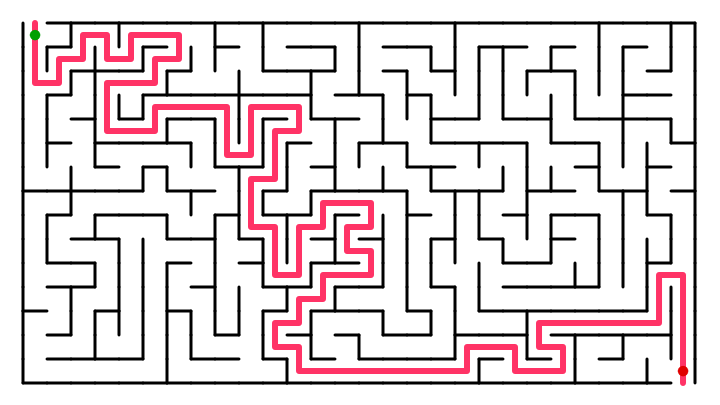
- Show the solution (optional) - Turn on "Show the solution" to draw the path from the entrance to the exit, and download a second image to use as the answer key.
- Download the maze - Click "Download maze image" to save the maze as a PNG file.
What are the bridges of a maze?
A bridge is a place where two corridors of the maze cross without meeting: one corridor goes over the other one, and the corridor below passes under it like a tunnel. When you walk through a bridge you must keep going straight, because you cannot turn into the other corridor. Mazes with bridges are also called weave mazes.
In this tool, the walls of the corridor that goes under a bridge stop a little before the walls of the bridge, so it is easy to see which corridor is on top. The solution line also disappears under the bridges it passes below.
Bridges make a maze much harder to solve at a glance: the paths cross each other, so you cannot simply follow the empty space with your eyes, and a path that seems to be blocked may continue on the other side of a bridge.
Options
Below are all the options you can configure when generating a hand-drawn maze.
| Field | Description |
|---|---|
| Columns and rows | The number of cells of the maze, horizontally and vertically. |
| Cell size | The size of one cell in pixels. The size of the image is calculated from it. Large cells show the hand-drawn details better, and are also sharper when printed. |
| Corridors | The texture of the maze. "Long winding corridors" uses the recursive backtracker algorithm, which creates long paths with few dead ends. "Many short branches" works like the Prim's algorithm, which creates many short dead ends. "Mixed" is halfway between them. |
| Bridges | Allows the corridors to pass over or under other corridors. Turn it off to generate a maze where the corridors never cross. |
| Bridge frequency | How often the maze creates a bridge when it has the chance. With 100%, the maze has as many bridges as possible. |
| Seed | The number that defines the maze and the way it is drawn. The same seed, with the same options, always generates exactly the same image. The button "Generate a new maze" simply picks a new random seed. |
| Quick styles | Sets the colors and the lines at once to one of the ready-made looks: ink on paper, pencil sketch, blueprint, chalkboard or solid walls. The maze itself does not change. |
| Corridor width | The width of the corridors, as a percentage of the size of the cell. The rest of the cell is the space between neighbor corridors. Narrow corridors make the bridges easier to see. |
| Roundness of the corners | How round the corners of the corridors are. With 100% the corridors turn in smooth curves and the dead ends are round; with 0% the corners are sharp. |
| Curviness | How much the whole maze is bent. The straight corridors become smooth curves, as if the maze were drawn freehand. 0% keeps the corridors perfectly straight. |
| Size of the curves | The size of the bends, in cells. Small values give many small waves, and large values give a few long and gentle bends. |
| Hand wobble | How much every line shakes, like the small movements of a hand holding a pen. Use 0 for perfectly clean lines. |
| Line thickness | The average thickness of the lines of the walls, in pixels. |
| Thickness variation | How much the thickness of the lines changes along the way, like the pressure of a real pen. Use 0% for lines of constant thickness. |
| Sketchy double lines | Draws every wall twice with slightly different lines, like a quick pencil sketch. |
| Pen color | The color of the walls of the maze. |
| Transparent background | Generates the maze with a transparent background, so you can place it over any image later. |
| Paper color and paper texture | The background color of the image, and the strength of the grain and of the soft stains that make it look like real paper. Use 0% for a flat color. |
| Fill the corridors with a color | Paints the inside of the corridors with its own color. Choose the same color for the pen and for the paper to get a maze of solid walls, where the corridors are carved out of the background. |
| Margin | The empty space, in pixels, around the maze. |
| Show arrows at the entrance and the exit | Draws a hand-drawn arrow pointing into the entrance (top left) and another one pointing out of the exit (bottom right). |
| Show the solution | Draws the shortest path from the entrance to the exit, under the walls of the maze. Use it to generate the answer key of your puzzle. |
| Thickness of the solution | The thickness of the line of the solution, as a percentage of the width of the corridor. |
Frequently Asked Questions (FAQ)
Is this hand-drawn maze generator free?Yes. The tool is completely free, there is no registration, and the maze is generated by your own browser: nothing is uploaded to a server.
Can I use the generated mazes commercially?Yes. The mazes you generate are yours, and you can use them in puzzle books, worksheets, games, websites or any other project.
Does every maze have a solution?Yes. Every maze has exactly one path between the entrance and the exit, and every corridor can be reached. The bridges do not create loops: a corridor that goes under a bridge is simply another part of the same tree of corridors.
What is the difference from the regular maze generator?The Maze Generator draws precise mazes with straight walls, and offers many maze algorithms and shapes (rectangular, hexagonal, triangular and circular). This tool draws rectangular mazes that look drawn by hand, with curved corridors, round corners, wobbly lines of variable thickness, paper textures and bridges.
How do I generate the answer key?Download the maze with the solution turned off, then turn on "Show the solution" and download the image again, without changing any other option. Both images show exactly the same maze, because the seed did not change.
Why do the corridors of my maze touch each other?With a very high curviness and small curves, the distortion can squeeze some parts of the maze. Reduce the curviness, increase the size of the curves or reduce the corridor width.
How do I print the maze?Download the PNG file and print it from any image viewer or document editor. For a sharp print, use a large cell size (40 pixels or more) so the image has enough resolution for the paper.
In which format is the maze downloaded?The maze is downloaded as a PNG image, which supports transparency. Turn on "Transparent background" if you want to place the maze over another image later.
Related tools