
Lenia
Watch the artificial life forms of Lenia swim, spin and pulse, directly in your browser.
This free online Lenia simulator runs Lenia, the continuous cellular automaton created by Bert Wang-Chak Chan. Lenia is like Conway's Game of Life with everything made smooth: the cells are not just alive or dead but have any value between 0 and 1, every cell senses a large round neighborhood, and time flows in small steps. From these simple rules come creatures that look alive: they glide, turn in circles, breathe and keep their shape, like microscopic organisms seen through a microscope.
Choose one of the 18 creatures of the Lenia catalogue (Orbium, Scutium, Kronium, Hydrogeminium, Paraptera...), place several of them on the grid, start from random noise, or change the radius of the kernel and the growth function to discover new life forms yourself.
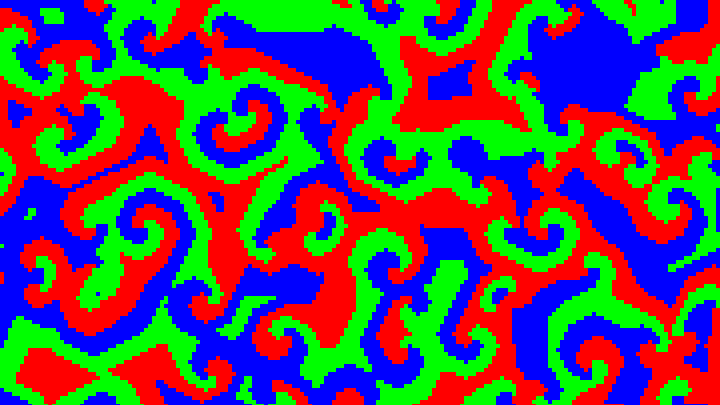
Watch the cells, the potential or the growth with one of the palettes, and download the result as a PNG image or record it as a video. Everything runs directly in your browser: nothing is uploaded to a server.
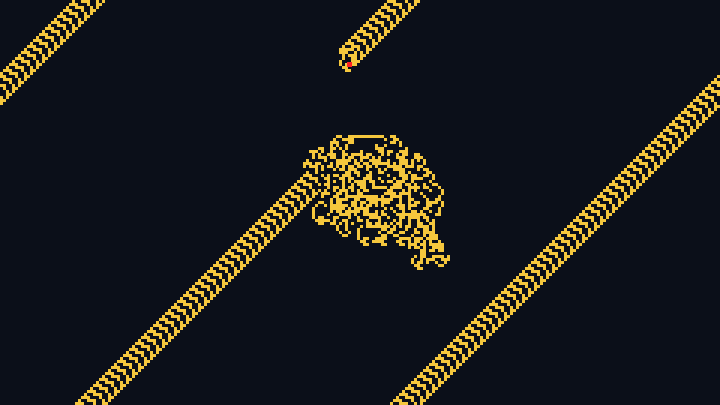
Creature: Orbium unicaudatusStep: 0Time: 0.0Mass: 0.0Grid: 256 x 256
Click on the grid to place a Orbium unicaudatus.
How to create a Lenia animation
- Choose a creature - Start with the Orbium, the most famous creature of Lenia, or pick another one: Scutium, Kronium, Hydrogeminium, Paraptera... Each creature comes with the parameters of the rule it needs to live.
- Place the creatures - Choose how many creatures start on the grid, and whether they face random directions. You can also start from random patches of cells, or from an empty grid.
- Adjust the size - Choose the size of the grid, the zoom of the creatures and the size of each cell in pixels.
- Experiment with the rule - Change the radius of the kernel, the heights of its rings, the growth center and the growth width while the animation is running, and watch the creatures adapt, mutate or die.
- Interact with the grid - Click on the grid to place new creatures, draw random cells or erase cells, and make the creatures collide.
- Pick the colors - Choose a palette, and show the cells, the potential or the growth.
- Download it - Save the current image as a PNG, or open the "Generate and download video" section to record the animation as a video in WebM format.
What is Lenia?
Lenia is a family of cellular automata created by Bert Wang-Chak Chan and described in his 2019 paper Lenia: Biology of Artificial Life. It generalizes Conway's Game of Life by making everything continuous: the state of a cell is a real number between 0 and 1 instead of alive or dead, the neighborhood is a large disk instead of the 8 nearest cells, and time advances in small steps instead of whole generations.
What makes Lenia famous is its creatures: patterns that keep their shape while they move, turn or pulse, and that look surprisingly like living microorganisms. Bert Chan discovered and named hundreds of them, and classified them in a taxonomy inspired by biology, with Latin names like Orbium unicaudatus, the one-tailed orb.
How does Lenia work?
On every step, all the cells of the grid are updated at the same time, in three stages:
- The potential - Every cell senses its neighborhood through the kernel, a ring shaped weight of radius R. The potential U is the weighted average of the cells around it: U = K * A, a convolution of the world A with the kernel K. Some creatures use a kernel of several concentric rings, with the heights given by b.
- The growth - The growth function turns the potential into a growth between -1 and 1. The growth is +1 when the potential is exactly the growth center μ, and it falls to -1 when the potential is far from μ, compared to the growth width σ. A cell grows when its neighborhood is just right, and shrinks when it is too empty or too crowded.
- The update - A fraction 1/T of the growth is added to every cell, and the result is kept between 0 and 1: A ← clip(A + G(U) / T, 0, 1).
The kernel of this simulator is computed with the fast Fourier transform, so its cost does not depend on its radius: a creature with a radius of 50 cells runs as fast as one with a radius of 13. Choose "The potential" or "The growth" in the "Show" option to see the two hidden layers of the computation.
The creatures
The creatures of this simulator come from the catalogue of Bert Chan, published under the MIT license. Each one lives only with its own parameters: change them, and it will usually grow, die or turn into something else.
| Creature | Parameters | Description |
|---|---|---|
| Orbium unicaudatus | R=13, T=10, μ=0.15, σ=0.015, b=1 | The most famous creature of Lenia: a small round glider with a tail, that swims in a straight line forever. |
| Orbium bicaudatus | R=13, T=10, μ=0.15, σ=0.014, b=1 | A close cousin of the Orbium, with two tails instead of one. It also glides in a straight line. |
| Gyrorbium gyrans | R=13, T=10, μ=0.156, σ=0.0224, b=1 | An Orbium that never goes straight: it keeps swimming around in small circles, wobbling as it turns. |
| Synorbium solidus | R=13, T=10, μ=0.122, σ=0.0106, b=1 | Two Orbiums bound side by side, that glide together as a single creature. |
| Scutium solidus | R=13, T=10, μ=0.29, σ=0.045, b=1 | A shield shaped creature, thicker and slower than the Orbium, that glides in a straight line. |
| Scutium valvatus | R=13, T=10, μ=0.283, σ=0.0461, b=1 | A variant of the Scutium, with a slightly different growth, that also glides in a straight line. |
| Discutium solidus | R=13, T=10, μ=0.356, σ=0.063, b=1 | A double shield: a larger crescent shaped creature that glides steadily. |
| Triscutium solidus | R=13, T=10, μ=0.4, σ=0.0797, b=1 | A triple shield: an even larger crescent, that still glides in a straight line. |
| Pyroscutium arcus pedes | R=13, T=10, μ=0.331, σ=0.0543, b=1 | A restless crescent that flickers like a flame: its mass keeps growing and shrinking while it moves. |
| Paraptera arcus labens | R=13, T=10, μ=0.347, σ=0.057, b=1 | A large creature shaped like a pair of wings, that glides smoothly without changing its shape. |
| Gyropteron arcus | R=13, T=10, μ=0.283, σ=0.0481, b=1 | A small winged creature that keeps turning around in circles instead of going straight. |
| Kronium solidus | R=18, T=10, μ=0.24, σ=0.029, b=1,1/3 | A creature with a kernel of two rings, a strong one and a weaker one, which gives it a more complex inner structure. It glides in a straight line. |
| Gyrokronium gyrans | R=18, T=10, μ=0.22, σ=0.026, b=1,1/3 | A Kronium that spins around in circles, like a dancer. |
| Ferrokronium solidus | R=18, T=10, μ=0.26, σ=0.038, b=1,1 | A heavier Kronium, with two rings of the same strength in its kernel, that glides slowly. |
| Hydrogeminium natans | R=18, T=10, μ=0.26, σ=0.036, b=1/2,1,2/3 | A large and complex creature with a kernel of three rings and a long, fluid tail, that swims through the grid. |
| Scutium serratus vagus | R=10, T=10, μ=0.27, σ=0.044, b=1/2,1 | A small wanderer with a kernel of two rings: its shape keeps changing, and it wanders around instead of going straight. |
| Circium ventilans | R=13, T=10, μ=0.38, σ=0.07, b=1 | A round creature that does not move: it stays in place and breathes, slowly growing and shrinking. |
| Circoechinium ventilans | R=18, T=10, μ=0.29, σ=0.0345, b=1,1,1 | A big spiky ring that stays in place and keeps pulsing, with spines that come and go. |
Options
Below are all the options you can configure in this Lenia simulator.
| Field | Description |
|---|---|
| Creature | One of the creatures of the Lenia catalogue. Choosing a creature sets the radius, the rings, the growth center, the growth width and the time resolution it needs, and starts the simulation again. |
| Zoom | Enlarges the creatures and the radius of the kernel together. A creature twice as large behaves in the same way, but it looks smoother and takes more room on the grid. |
| Radius of the kernel (R) | The distance, in cells, up to which a cell senses its neighbors. The radius is multiplied by the zoom. |
| Heights of the rings of the kernel (b) | The kernel is divided into concentric rings of equal width, and this field gives the height of each one, from the center outwards. "1" is a single ring; "1,1/3" is a strong inner ring and a weaker outer ring. |
| Shape of each ring | Polynomial, the default of Lenia, is a smooth bump. Exponential is a bump with softer edges, and Step is a flat ring with hard edges. |
| Growth center (μ) and growth width (σ) | The cells grow the most when the potential is μ, and they shrink when the potential is too far from μ compared to σ. These two numbers decide which creatures can live. |
| Growth function | The shape of the bell that turns the potential into a growth: polynomial (the default of Lenia), exponential (a Gaussian) or a step, which only grows or shrinks at full speed. |
| Time resolution (T) | The number of steps per unit of time. Every step adds 1/T of the growth to the cells. |
| Start with | The first state of the grid: copies of the selected creature, random patches of cells, or an empty grid on which you draw with the mouse. |
| Number of creatures and random directions | How many copies of the creature are placed at random on the grid, and whether each one is turned in a random direction. |
| Number, size and maximum value of the patches | The random patches are squares of random cells. Their side is measured in radii of the kernel, and their cells get a random value between 0 and the maximum value. |
| Seed of the random numbers | The number used to place the creatures and the patches. The same seed always gives the same start. |
| Columns, rows and size of the cell | The size of the grid in cells (64, 128, 256 or 512, the sizes the fast Fourier transform needs), and the size of each cell in pixels. The edges of the grid wrap around. |
| Steps per second and maximum speed | How fast the simulation runs. The maximum speed computes as many steps as your computer can, while keeping the page responsive. |
| Clicking on the grid | What happens when you click on the grid: place a copy of the selected creature, draw random cells, or erase cells. |
| Show | The cells (the world), the potential (what every cell senses, with the growth center drawn in the middle color of the palette) or the growth (from -1, the first color, to +1, the last color). |
| Palette and smooth pixels | The colors given to the values from 0 to 1, and whether the pixels are smoothed when the cells are enlarged. |
Frequently Asked Questions (FAQ)
Is this Lenia simulator free?Yes. The tool is completely free, there is no registration, and everything is computed by your own browser: nothing is uploaded to a server.
What is the difference between Lenia and the Game of Life?In the Game of Life, a cell is alive or dead, it looks at its 8 neighbors, and the whole grid jumps from one generation to the next. In Lenia, a cell has any value between 0 and 1, it senses a large disk around it, and it changes a little on every step. That is why Lenia creatures look smooth and organic, while the gliders of the Game of Life look like pixels.
Why did my creature die?Every creature lives only in a narrow range of parameters. If the growth center or the growth width changes too much, or if two creatures collide, the creature may shrink until nothing is left. Choose the creature again, or click on "Restore the parameters of the creature".
Why does the whole grid fill up?When the growth width is large, or when the random patches are too dense, the cells grow everywhere and the creatures merge into one big blob. Reduce the growth width, use fewer or smaller patches, or try another seed.
Can a creature leave the grid?No. The edges of the grid wrap around, like the screen of an old video game: a creature that leaves on the right comes back on the left.
Can I download the animation as a video?Yes. Open the "Generate and download video" section, choose the framerate, click "Generate video", and click "Stop recording and download video" when you have enough. The video is recorded in the WebM format.
Can I use the images and the videos commercially?Yes. The images and videos you generate are yours, and you can use them in any project.
Related tools