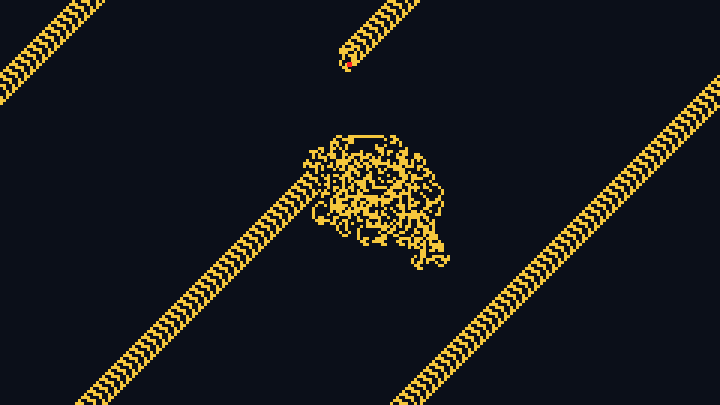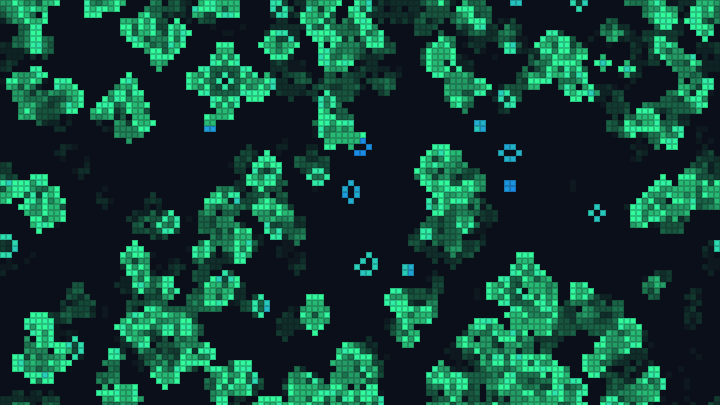

Generations Cellular Automaton
Simulate Brian's Brain, Star Wars and the other multi-state cellular automata, directly in your browser.
This free online Generations cellular automaton simulator runs the family of rules called "Generations": a Game of Life where a cell that doesn't survive doesn't die at once, but goes through one or more dying states before it is dead. The dying cells can't give birth to new cells, but they block the birth of a cell where they are, so live patterns leave trails behind them and are pushed forward by them. That one change turns the Game of Life into a world of spaceships, spiral waves, fireworks and growing kaleidoscopes.
Choose one of the 45 classic rules of MCell and the LifeWiki, like Brian's Brain, Star Wars, Bloomerang, Flaming Starbows, Frozen Spirals or Fireworks, or write your own rule in the B2/S345/C4 or 345/2/4 notation, with up to 256 states. Change the rule while the animation is running, and draw live cells on the grid with the mouse.
Color the states with one of the palettes or your own colors, then download the current generation as a PNG image, or the next generations as an animated GIF or a WebM video. Everything runs directly in your browser: nothing is uploaded to a server.
Generation: 0Live: 0Dying: 0Rule: B2/S/C3
Draw live cells with the left button of the mouse, erase cells with the right button.
How to simulate a Generations cellular automaton
- Choose a rule - Start with Brian's Brain, the most famous Generations rule, or pick one of the 45 classic rules: Star Wars, Bloomerang, Flaming Starbows, Frozen Spirals, Fireworks... Each preset also chooses the start that shows it best.
- Edit the rule - Change the numbers of neighbors of the birth and the survival, the number of states and the neighborhood, or click "Random rule" to discover a new automaton. The changes are applied immediately, even while the animation is running.
- Choose the initial pattern - A random soup on the whole grid or at its center, a small random seed, a single cell, a solid square, or an empty grid to draw on.
- Draw your own cells - Click and drag on the grid with the left button of the mouse to create live cells, and use the right button to erase cells.
- Set the size and the speed - Choose the number of columns and rows, the size of each cell in pixels, and the number of generations per second.
- Pick the colors - Choose a palette, or the color of the background, of the live cells and of the first and last dying states. The dying states get a gradient between them.
- Download the result - Save the current generation as a PNG image, or the next generations as an animated GIF or a WebM video.
What is a Generations cellular automaton?
A Generations rule is a Life-like cellular automaton with more than two states. Every cell of the grid is in one of C states, numbered from 0 to C - 1: 0 is dead, 1 is alive, and 2 to C - 1 are the dying states. The whole grid is updated at the same time, generation after generation, with three rules:
- A dead cell is born when its number of live neighbors is one of the numbers of the birth part of the rule.
- A live cell stays alive when its number of live neighbors is one of the numbers of the survival part. Otherwise, it goes to the first dying state.
- A dying cell always goes to the next state, whatever its neighbors are, and the last dying state is followed by the dead state.
Only the live cells count as neighbors, and a dying cell can't be born again until it is completely dead. So the dying cells are a kind of refractory period, like a neuron that can't fire again right after it fired: they block the growth behind a moving pattern, which pushes it forward. This is why Generations rules are full of spaceships and waves. With only 2 states there is no dying state, and the rule is an ordinary Life-like rule like the Game of Life.
The most famous Generations rule is Brian's Brain, created by Brian Silverman: 3 states, no survival at all, and a birth with exactly 2 live neighbors. Every live cell fires once, rests for one generation, and is then ready again, and the grid is always full of small spaceships. The name "Generations" comes from MCell, the cellular automata program of Mirek Wójtowicz, where most of the classic rules were collected.
The notation of the rules
This tool reads the two usual notations of the Generations rules:
- B2/S345/C4, the notation of Golly and the LifeWiki: the numbers of live neighbors that make a dead cell be born after the B, the numbers that keep a live cell alive after the S, and the number of states after the C. The parts can be in any order, and the C can also be a G.
- 345/2/4, the notation of MCell: survival, birth and number of states, in that order.
Both examples are the Star Wars rule. Brian's Brain is B2/S/C3, or /2/3: the survival part is empty. A V at the end of the rule (B2/S/C3V) selects the von Neumann neighborhood, where a cell only has the 4 neighbors that share a side with it, as in Golly. The rules of the Game of Life, like B3/S23, are also accepted, and have 2 states.
The classic Generations rules
These are the 45 rules of the rule presets, with the name of their author when it is known.
| Rule | Notation | Description |
|---|---|---|
| 9:43 at Knight | B34578/S237/C4 | A random soup quickly settles down into a calm, stable grid of small still lifes. By EricG. |
| Banners | B3457/S2367/C5 | Its spaceships often grow fluttering banners behind them while they travel. By Mirek Wójtowicz. |
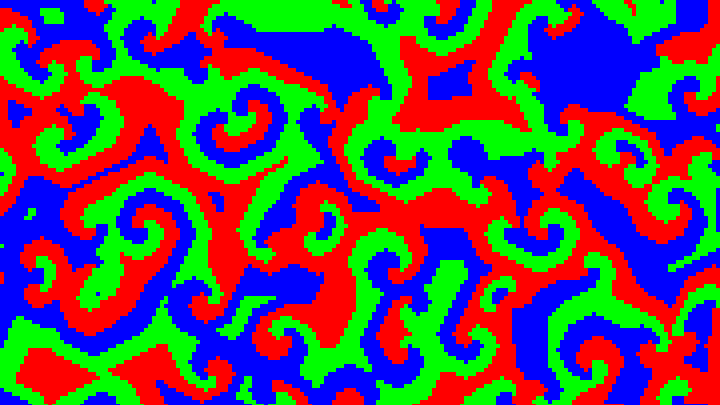
| BelZhab | B23/S23/C8 | A Belousov-Zhabotinsky reaction: square spiral waves of dying cells appear everywhere in the soup and keep turning. |
| BelZhab Sediment | B23/S145678/C8 | The spiral waves of BelZhab, plus growing regions of live cells that settle like sediments. By Jason Rampe. |
| Bloomerang | B34678/S234/C24 | A wave rule with 24 states: a small seed grows into round, rippling rings, which rebound into a soft kaleidoscope. By John Elliott. |
| Bombers | B24/S345/C25 | A close variant of Star Wars with 25 states: every moving pattern leaves a long fading trail behind it. By Mirek Wójtowicz. |
| Brain 6 | B246/S6/C3 | A variation of Brian's Brain, with births with 2, 4 or 6 neighbors and many different patterns. By Michael Sweney. |
| Brian's Brain | B2/S/C3 | The most famous Generations rule. No cell survives: every live cell starts dying in the next generation, and a dead cell with exactly 2 live neighbors is born. The grid never calms down, and is always full of small spaceships flying in every direction. By Brian Silverman. |
| Burst | B3468/S0235678/C9 | A rule related to Nova and Prairie on fire, with large areas of cells. A single isolated cell is a still life. By Michael Sweney. |
| Burst II | B3468/S235678/C9 | Burst without the still life made of a single cell. By Michael Sweney. |
| Caterpillars | B378/S124567/C4 | Named after its very common patterns that crawl like caterpillars. The dense soup boils for a long time before it thins out. By Mirek Wójtowicz. |
| Chenille | B24567/S05678/C6 | An exploding rule that leaves small fuzzy structures behind. |
| Circuit Genesis | B1234/S2345/C8 | A small seed, or even a single cell, grows into a square of lines that look like an electronic circuit, which keeps evolving long after it covers the grid. By Charles A. Rockafellor. |
| Cooties | B2/S23/C8 | A very lively rule, where the cells crawl around like lice. By Rudy Rucker. |
| Ebb and Flow | B36/S012478/C18 | A slowly expanding region, with lively dynamics inside its borders. By Michael Sweney. |
| Ebb and Flow II | B37/S012468/C18 | A close variant of Ebb and Flow, which also has simple gliders. By Michael Sweney. |
| Faders | B2/S2/C25 | A cross between the Game of Life and Brian's Brain: the patterns spread slowly, and every cell leaves a long fading trail when it dies. By Rudy Rucker and John Walker. |
| Fireworks | B13/S2/C21 | Sparks burst and leave long trails, like fireworks. It also grows from a single cell. By John Elliott. |
| Flaming Starbows | B23/S347/C8 | Expanding diamonds sweep across the grid with trails of fire, and end up covering it with square spirals. By Charles A. Rockafellor. |
| Frogs | B34/S12/C3 | Named after its very common gliders, which look like small frogs. The soup slowly calms down into gliders jumping around. By Scott Robert Ladd. |
| Frozen Spirals | B23/S356/C6 | A Zhabotinsky reaction with large square spirals that turn forever. It needs a sparse soup: a dense one dies. By Mirek Wójtowicz. |
| Glisserati | B245678/S035678/C7 | A rule that is often full of gliders. By John Elliott. |
| Glissergy | B245678/S035678/C5 | Glisserati with 5 states instead of 7. By John Elliott. |
| Lava | B45678/S12345/C8 | Every pattern is slowly filled with hot lava, a dense texture of live and dying cells. By Mirek Wójtowicz. |
| Lines | B458/S012345/C3 | The soup quickly organizes itself into straight lines and hatched areas. By Anders Starmark. |
| Living on the Edge | B3/S345/C6 | Also called LOTE. A very chaotic rule, where it is hard to tell which patterns will survive. By Mirek Wójtowicz. |
| Meteor Guns | B3/S01245678/C8 | Almost no live cell ever dies, so most patterns grow into a slowly exploding ball of fire. By Charles A. Rockafellor. |
| Nova | B2478/S45678/C25 | Streams of live cells grow into large blobs with fading borders. It needs a dense soup. By Mirek Wójtowicz. |
| OrthoGo | B2/S3/C4 | Gliders that travel along the rows and the columns collide and produce new ones. By John Elliott. |
| Prairie on fire | B34/S345/C6 | The fire spreads and covers the whole grid. By Mirek Wójtowicz. |
| RainZha | B23/S2/C8 | The simplest Zhabotinsky automaton: the grid fills with turning spiral waves. By Rudy Rucker and John Walker. |
| Rake | B2678/S3467/C6 | Full of rakes: travelling patterns that leave a trail of debris behind them. By Brian Prentice. |
| SediMental | B25678/S45678/C4 | Forms stable islands with active coastlines. By John Elliott. |
| Snake | B25/S03467/C6 | Known for two oscillators: a 3 x 3 square and a shuttle. By Brian Prentice. |
| Soft Freeze | B38/S13458/C6 | Delicately balanced between a solid and a liquid: blobs of cells keep freezing and melting. By John Elliott. |
| Spirals | B234/S2/C5 | Square spirals unroll from everywhere, and cover the grid with a maze of waves. |
| Star Wars | B2/S345/C4 | Also called MirekGro. Brian's Brain, but a live cell with 3, 4 or 5 neighbors survives: spaceships, rakes and long trains shoot across the grid, and build new structures where they collide. By Mirek Wójtowicz. |
| Sticks | B2/S3456/C6 | Builds many kinds of sticks, with spaceships among them. By Rudy Rucker. |
| Swirl | B34/S23/C8 | Isolated little whirlpools of cells, which turn in place. By Scott Robert Ladd. |
| Thrill Grill | B34/S1234/C48 | 48 states. A small seed grows into an octagon covered by a grill of live cells, rearranged by sparkling waves. By John Elliott. |
| Transers | B26/S345/C5 | A dynamic rule with many distinctive moving patterns. By John Elliott. |
| Transers II | B26/S0345/C6 | A variant of Transers, where an isolated live cell survives. By Michael Sweney. |
| Wanderers | B34678/S345/C5 | Very similar to Prairie on fire, with patches of cells that wander around the grid. By Mirek Wójtowicz. |
| Worms | B25/S3467/C6 | Crowds of worms crawl and grow across the grid. By Mirek Wójtowicz. |
| Xtasy | B2356/S1456/C16 | From a small seed, a kaleidoscopic wave grows into a diamond, and the colliding waves draw symmetric patterns. By John Elliott. |
Options
Below are all the options you can configure in this Generations cellular automaton simulator.
| Field | Description |
|---|---|
| Rule preset | One of the 45 classic Generations rules. Choosing a preset writes its rule, chooses the initial pattern and the density that show it best, and starts the simulation again. |
| Rule | The rule itself, in the B2/S345/C4 notation or in the 345/2/4 notation of MCell. It can be changed while the animation is running. When the new rule has fewer states, the cells in a dying state that doesn't exist any more are dead. |
| Number of states | The number of states of the cells, from 2 to 256: dead, alive, and the dying states. More states give longer trails, and slower waves. |
| Neighborhood | Moore uses the 8 cells around a cell; von Neumann only uses the 4 cells that share a side with it, so the birth and survival numbers go up to 4. |
| Random rule | Creates a random rule with 3 to 16 states and starts a random soup. Many random rules die or explode, so click it again until you find one you like. |
| Wrap the edges of the grid | Turned on, the grid is a torus: a spaceship that leaves the right border comes back through the left one. Turned off, everything outside the grid is dead. |
| Columns, rows and size of the cell | The size of the grid in cells, up to 2000 x 2000, and the size of each cell in pixels. The image is the number of columns multiplied by the size of the cell, by the number of rows multiplied by the size of the cell. |
| Initial pattern | The cells of the first generation: a random soup on the whole grid, a random soup in a square at the center, a small random seed of 6 x 6 cells, a single cell, a solid square of 10 x 10 cells, or an empty grid. Some rules need a sparse soup, others grow best from a small seed. |
| Density and seed of the random cells | The percentage of live cells of the random patterns, and the number used to generate them. The same seed always gives the same cells. |
| Size of the brush | The diameter, in cells, of the round brush used to draw and erase cells with the mouse. |
| Generations per second and maximum speed | How fast the simulation runs. The maximum speed computes as many generations as your computer can on every frame. |
| Pause when the pattern stops changing | Pauses the animation when nothing changes any more, or when the pattern repeats itself every 2 generations. The animation always pauses when all the cells are dead. |
| Palette | The colors of the states: the background is the color of the dead cells, then the color of the live cells, then a gradient for the dying states. With "Colors of my choice", you pick the four colors yourself. |
| Show the dying cells | Turned off, the dying cells have the color of the background, so only the live cells are seen. The simulation doesn't change. |
| Animated GIF and video | The format (animated GIF or WebM video), the number of frames, the number of generations between two frames and the number of frames per second. The animation starts from the current generation, with the size of the image. The GIF uses the exact colors of the states. |
Frequently Asked Questions (FAQ)
Is this Generations cellular automaton simulator free?Yes. The tool is completely free, there is no registration, and everything is computed by your own browser: nothing is uploaded to a server.
What is Brian's Brain?Brian's Brain is a cellular automaton created by Brian Silverman, with 3 states: dead, alive (firing) and dying (refractory). A dead cell with exactly 2 live neighbors is born, every live cell starts dying in the next generation, and every dying cell is dead in the generation after. Its rule is B2/S/C3, or /2/3 in the notation of MCell. It never calms down, and it is full of small spaceships that fly in every direction.
What is the Star Wars cellular automaton?Star Wars is a rule of Mirek Wójtowicz, B2/S345/C4 (345/2/4 in MCell): like Brian's Brain, a cell is born with exactly 2 live neighbors, but a live cell with 3, 4 or 5 live neighbors survives, and a cell that doesn't survive spends 2 generations dying. It is full of spaceships, rakes and long trains of cells that shoot across the grid.
What is the difference with the Game of Life?In the Game of Life, a cell that doesn't survive is dead at once. In a Generations rule, it goes through one or more dying states first, during which it is not counted as a live neighbor and no cell can be born where it is. A Generations rule with 2 states is exactly a Life-like rule, so B3/S23 in this tool is Conway's Game of Life.
Why did all the cells die?Many rules die from a soup that is too dense or too sparse. Frozen Spirals dies from a dense soup and makes spirals from a sparse one, Nova needs a dense soup, and Bloomerang and Xtasy grow best from a small seed. Choosing a rule preset sets a start that works, and you can also try another density or seed.
Can I download the animation as a GIF or a video?Yes. In the "Animated GIF and video" section, choose the format, the number of frames, the number of generations per frame and the frames per second, and click the download button. The animation starts from the current generation.
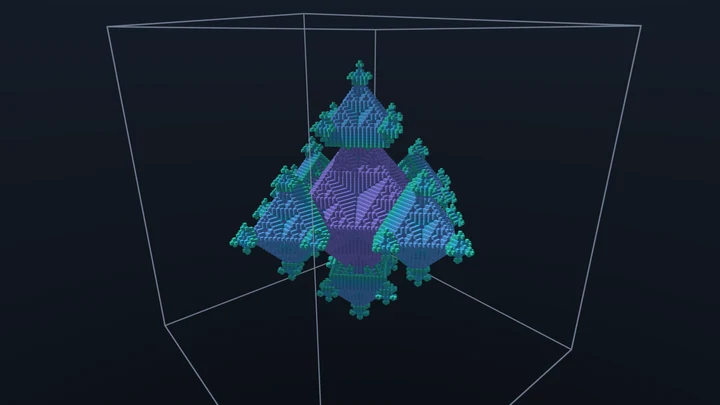
Is there a 3D version?Yes. The 3D Cellular Automata tool simulates Generations rules in a 3D grid of up to 512 x 512 x 512 cells, with 26 or 6 neighbors.
Can I use the images and the videos commercially?Yes. The images, GIFs and videos you generate are yours, and you can use them in any project.
Does it work on a phone?Yes, the simulation runs on a phone, but drawing cells with the finger is not supported: use a mouse to draw your own patterns.
Related tools