
Primordial Particle System
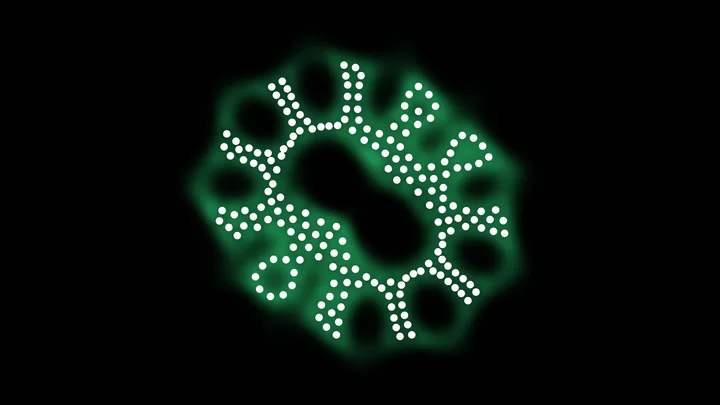
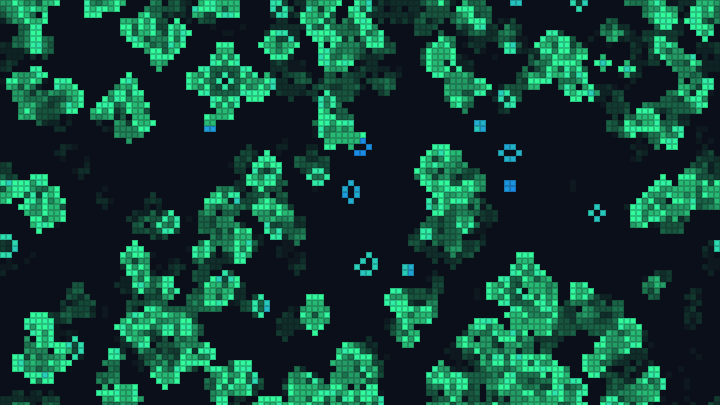
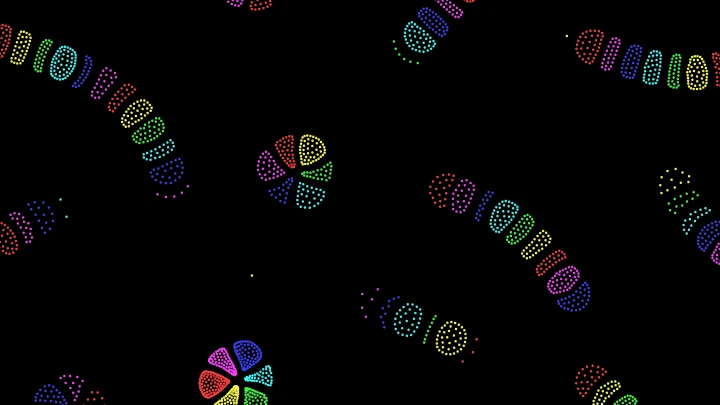
Watch life-like cells emerge from a soup of particles that all follow one simple rule: turn by a fixed angle, plus an angle for each neighbor towards the side with more neighbors. The cells grow, release spores and divide. Change the rule, drop cells with the mouse, and download images, GIFs and videos.
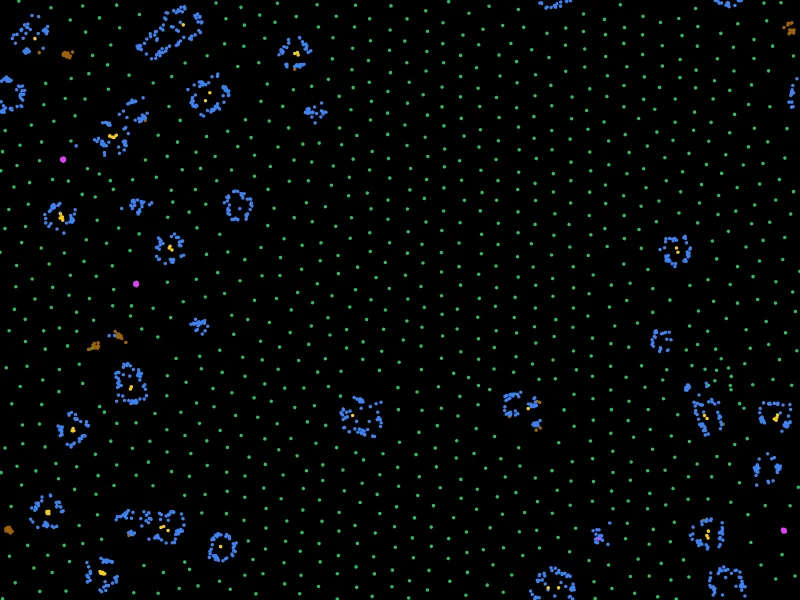
This is an online Primordial Particle System simulation. Thousands of particles move forward at a constant speed, and on every step each one counts its neighbors on its left and on its right, and turns. That is the only rule. Yet, from a random soup of particles, cells appear: rings of particles with a dense core, which grow by catching free particles, release spores and divide, like very simple living things.
The system was created by Thomas Schmickl, Martin Stefanec and Karl Crailsheim, at the University of Graz, who called it "primordial" because it looks like the first steps of life in the primordial soup. The particles are colored like in their article: green for free particles with few neighbors, brown, blue and yellow for more and more crowded particles, and magenta for the dense core of spores.
Change the two angles of the rule while the simulation runs to discover other worlds, from merging droplets to rings and liquids, and add particles, erase them, drop cells or copy and paste them with your mouse (or your finger) on the canvas.
You can download the current frame as a PNG image, or create an animated GIF or a WebM video of the simulation. Everything runs directly in your browser: nothing is uploaded to a server. You are free to share the generated images and videos anywhere. Attribution is not required but appreciated.
Step 0, 0 particles, 0 cells, 0 spores
Number of cells and spores over time
Speed:
Examples
Each example below loads a motion law and a density of particles. Click on any example to start it, and then change the parameters to see what happens. Most structures need a few thousand steps to appear: use the speed buttons under the canvas to get there faster.
Primordial soup
α 180°, β 17°, density 0.08
The simulation of the original article: particles spread at random, with α = 180° and β = 17°. After about a thousand steps, the first cells appear: blue rings with a yellow core, which grow by catching free green particles, release spores and divide.
A cell divides
α 180°, β 17°, density 0.06
A close-up of a single cell placed among free particles, at a density of 0.06. The cell eats the green particles around it, grows, and divides into two cells within a few thousand steps. Its children divide too.
Not enough food
α 180°, β 17°, density 0.03
The same cell, among fewer free particles (density 0.03). There is not enough to eat: the cell shrinks into a spore, a small dense group of particles that wanders around and waits for better times.
Big bang
α 180°, β 17°, density 0.08
All the particles start packed in a disk in the center. The dense yellow ball explodes into blue membranes, free particles and spores, which then organize into cells.
Crowded soup
α 180°, β 17°, density 0.12
A higher density of 0.12: cells appear almost everywhere at once, and soon fill the world, with fewer free particles between them.
Noisy world
α 180°, β 17°, density 0.08, noise 30°
Each turn gets a random error, with a standard deviation of 30°. The cells still appear, which shows that the life-like behavior does not depend on perfect precision. They are larger and more irregular.
Yellow rings
α 40°, β 5°, density 0.08
With α = 40° and β = 5°, the particles build round cells with a thick yellow wall, which catch nearly all the free particles and slowly merge into larger cells.
Cells with a nucleus
α 100°, β -10°, density 0.08
With α = 100° and β = -10°, soft green and brown blobs appear first. After about 10,000 steps, a yellow nucleus grows inside them, surrounded by a blue body and a green membrane.
Merging droplets
α 180°, β -10°, density 0.08
With α = 180° and β = -10°, the particles gather into blue droplets, which meet and merge into fewer and larger drops, like oil in water.
Bubbles
α 20°, β 10°, density 0.08
With α = 20° and β = 10°, many small blue rings appear among green clumps, and grow into larger round bubbles over time.
A swarm of spores
α 10°, β 5°, density 0.08
With α = 10° and β = 5°, the particles quickly squeeze into about a hundred tiny dense dots, magenta like the spores of the article, between small green clumps.
Liquid
α 20°, β 20°, density 0.08
With α = 20° and β = 20°, the particles form a green liquid: soft blobs that flow, stretch and merge into long continents.
How to simulate a Primordial Particle System
- Start an example - Choose one of the examples, or keep the default soup of the original article. The first cells appear after about a thousand steps: use the speed buttons under the canvas to get there faster.
- Change the motion law (optional) - Change the fixed turn α and the turn per neighbor β while the simulation runs, or the speed, the radius of the senses and the noise.
- Choose the particles (optional) - Change the density of particles, how they are placed at the start and the random seed, then click "Place the particles again".
- Play with the particles - Click on the canvas to add or erase particles, to drop a cell, or to copy a cell and paste it somewhere else. On a phone, use your finger.
- Customize the appearance (optional) - Color the particles like the original article, by number of neighbors or by direction, and change the zoom, the size of the particles and the trails.
- Download the result - Download the current frame as a PNG image, or create an animated GIF or a WebM video.
Configuration parameters
All the distances are in units, like in the original article, where the particles sense their neighbors up to 5 units away and move 0.67 units on each step. The zoom sets how many pixels one unit takes on the canvas.
Motion law
| Field | Description |
|---|---|
| Fixed turn (α) | The angle every particle turns on every step, whatever its neighbors. Positive angles turn the particles to their right (clockwise on the screen), negative angles to their left. The original article uses 180°: alone, a particle turns around on every step and stays nearly in place. |
| Turn per neighbor (β) | The angle added for each neighbor, towards the side where there are more neighbors (or away from it, if β is negative). With many neighbors, this term becomes large, so crowded particles behave very differently from lonely ones. The original article uses 17°. |
| Speed (v) | The distance every particle moves forward on every step, in units. The original article uses 0.67. |
| Radius of the senses (r) | A particle counts the other particles closer than this distance, in units. The original article uses 5. The colors of the article are made for this radius: with another radius, the color by number of neighbors may be more useful. |
| Noise | The amount of a random error added to each turn, in degrees (the standard deviation of a normal distribution). With 0, the simulation is fully deterministic. The cells still appear with a noise of 30°. |
Particles
| Field | Description |
|---|---|
| Density | The number of particles per square unit. The number of particles is the density times the area of the world, up to 50,000. The original article uses 0.08: 5000 particles in a world of 250 x 250 units. The density decides whether life is possible. In our tests with the parameters of the article, a world of free particles at a density of 0.04 never formed a cell, and a single cell placed among free particles shrank into a spore at 0.03, stayed alive without dividing at 0.045, and divided into 3 or 4 cells at 0.06. The article reports similar thresholds. |
| Initial positions | Where the particles are placed at the start, with random directions: everywhere at random (like the original article), packed in a disk in the center of the world, or nowhere, to draw your own particles with the mouse. |
| Diameter of the disk | The size of the disk where the particles start, in units. |
| Start with a cell in the center | Places a cell of 41 particles in the center of the world at the start, after clearing the particles around it, like the experiments of the original article. The cell was grown with the parameters of the article, so it only behaves like a cell with them. |
| Random seed | The starting positions and directions are random. The same seed always places the particles at the same positions, so with the same parameters the simulation is the same. Click the dice button to try a new random seed. |
| Place the particles again | Restarts the simulation from the initial positions, with the current parameters. |
Mouse
| Field | Description |
|---|---|
| Click on the canvas to | What happens when you click on the canvas (or touch it on a phone): Add particles or erase particles while the button is held. The right mouse button does the opposite: erase instead of add. Drop a cell: each click places a cell of 41 particles, turned at random, after clearing the particles under it. It only behaves like a cell with the parameters of the article. Copy the particles under the mouse: click on a cell or any other structure to copy the particles within the radius, with their directions. The mouse then switches to paste the copied particles, and each click pastes a copy, after clearing the particles under it. |
| Radius | The reach of the mouse, in units, to add, erase or copy particles. New particles are added two per frame, at random places within the radius. |
Appearance
| Field | Description |
|---|---|
| Particle colors | Like the original article: the color depends on the number of neighbors N within the radius. Green for free particles (fewer than 13 neighbors), brown for 13 to 15, blue for 16 to 35, yellow for more than 35, and magenta for particles with more than 15 neighbors closer than 1.3 units, which make the dense core of spores. Palette by number of neighbors: a smooth color scale from 0 to 40 neighbors or more. By direction: a color for each direction the particle is heading to. One color: every particle has the same color. |
| Zoom | The number of pixels of one unit. The world is exactly the canvas, so its size in units is the size of the canvas divided by the zoom: a new zoom or a new canvas size starts a new world, with the same density. With the default canvas of 800 x 600 pixels and a zoom of 4, the world is 200 x 150 units. |
| Particle size | The diameter of the particles, in units. It only changes the drawing, not the simulation. |
| Trails | How much of the previous frame remains visible, from 0 (no trails) to 0.99 (very long trails). The trails show the paths of the particles. |
| Transparent background | The canvas and the downloaded PNG image have a transparent background. GIFs and videos have no transparency, so they always use the background color. |
| Background color | The color of the background, in hexadecimal value. For example, use #ffffff for white. |
Animation control
| Button or value | Description |
|---|---|
| Speed | The number of steps computed per second, the same on any screen. The buttons choose a speed quickly: slow (30), normal (120), fast (600), very fast (3000) or the maximum your computer can do. When the computer can't keep up, the simulation simply runs as fast as it can. |
| Start, Restart | Start the simulation from the initial positions. |
| Pause, Resume, Stop | Pause, resume or stop the simulation. You can still change the parameters and the appearance, and add, erase or paste particles, while it is paused. |
| One step | Pauses the simulation and advances it a single step. |
| Cells and spores | The structures counted on the canvas, also drawn over time in the chart under the canvas. A structure is a group of particles that are not free (not green), each closer than 0.6 times the radius of the senses to another particle of the group. Groups of 23 particles or more are counted as cells, and groups of 8 to 22 particles as spores. The counts are approximate: two cells that touch are counted as one. |
| Average neighbors | The average number of neighbors within the radius of the senses, for all the particles. |
| Physics time per step | The time your computer took to count the neighbors and move the particles, on each step. |
| Number of particles by color | With the colors of the original article, the number of particles of each color. |
| Download current animation frame | Download the current frame (in PNG format). |
| Reset all the options | Restore every option to its default value, and restart the simulation. |
Animated GIF and video
| Field | Description |
|---|---|
| Format | An animated GIF, which plays everywhere, or a WebM video, which is smaller and has better colors. The animation starts from the current state of the particles. |
| Number of frames | The number of frames of the animation, up to 3000. |
| Steps per frame | The number of simulation steps between two frames. Higher values give a faster animation in fewer frames. |
| Frames per second | The speed at which the frames are played. |
How the Primordial Particle System works
The Primordial Particle System was described in 2016 by Thomas Schmickl, Martin Stefanec and Karl Crailsheim, in the article "How a life-like system emerges from a simplistic particle motion law", published in Scientific Reports. Every particle has a position and a direction φ, and on every step it:
- Counts its neighbors - It counts the other particles closer than the radius r: L on its left side and R on its right side, with N = L + R in total.
- Turns - It turns by Δφ = α + β · N · sign(R - L). The sign is +1 when there are more neighbors on the right, -1 when there are more on the left, and 0 when there are as many on both sides. So every particle turns by the fixed angle α, plus β for each neighbor towards the more crowded side.
- Moves - It moves forward by the speed v, in its new direction.
In this simulation, all the particles count their neighbors first, and then all turn and move at the same time. The world is a torus, like in the original article: a particle that leaves on one side comes back on the other side. To avoid measuring the distance to every particle, the world is divided into a grid of cells as wide as the radius, and each particle only looks at the particles of its own cell and of the 8 cells around it.
With the parameters of the article, a lonely particle turns around by 180° on every step, and stays nearly in place. When a few particles meet, the turn per neighbor makes them circle around each other, and the group becomes a spore: a small, dense cluster that wanders around. When a spore catches enough free particles, it unfolds into a cell: a ring of blue particles around a yellow core, which moves slowly and keeps catching the free particles around it. A cell that grows too large becomes unstable, and divides in two, or releases spores. This life cycle needs "food": with too few free particles, the cells shrink back into spores.
Nothing in the rule says "build a cell", "eat" or "divide". These behaviors emerge from millions of simple turns, which is why the authors see the system as a model of how the first life-like structures could have appeared in the primordial soup. The same rule with other angles makes very different worlds: droplets that merge, rings, foams and liquids.
Frequently Asked Questions (FAQ)
What is a Primordial Particle System?It is a simulation of particles that move forward at a constant speed and turn depending on how many neighbors they have on their left and on their right. From this single rule, the particles organize into cells that grow, release spores and divide, a bit like very simple living things.
Who created the Primordial Particle System?Thomas Schmickl, Martin Stefanec and Karl Crailsheim, of the Artificial Life Lab of the University of Graz, in Austria. They published it in 2016, in the article "How a life-like system emerges from a simplistic particle motion law".
Are the cells really alive?No. They are patterns of moving particles, with no genes and no metabolism. But they show some of the properties of life: they keep their shape while their particles move, they grow by catching free particles, they reproduce by dividing, and they need "food" to survive. That is why they are studied as a model of the first life-like structures.
Why does nothing happen for a while?At the start, the particles are spread at random, and a cell only appears when, by chance, enough particles meet in the same place. With the parameters of the article, the first cells usually appear after about a thousand steps, and then multiply. Use the speed buttons to get there faster. With a density lower than about 0.04, cells may never appear by themselves: drop a cell with the mouse to see if it can survive.
Why does the density matter so much?The free particles are the "food" of the cells. With too few of them, a cell can't grow, and shrinks back into a spore. With enough of them, it grows and divides. With a very high density, cells form everywhere at once and fill the world.
What is the difference with Particle Life?In Particle Life, particles of several colors attract and repel each other with forces, and have inertia. In a Primordial Particle System, there is only one kind of particle and no force at all: each particle always moves at the same speed, and only decides how much to turn, from the number of neighbors on each side.
How do I find new patterns?Change α and β with the sliders while the simulation runs, and watch how the particles react. Negative values of β make the particles turn away from the crowded side. The examples show a few interesting combinations, and the density and the noise also change the result.
Is my simulation uploaded to a server?No. Everything runs in your browser, on the HTML canvas. Nothing is uploaded, and the images, GIFs and videos you download are generated on your own computer.
Can I use the generated images and videos?Yes. You are free to use and share the generated images and videos on YouTube, TikTok, or any other social media or website. Attribution is not required but appreciated.
Related tools