
Boids
Watch flocks of birds and schools of fish emerge from three simple rules: keep your distance, fly like your neighbors, and stay close to them. Change the rules while the boids fly, scare them with the mouse, add predators and obstacles, and download images, GIFs and videos.
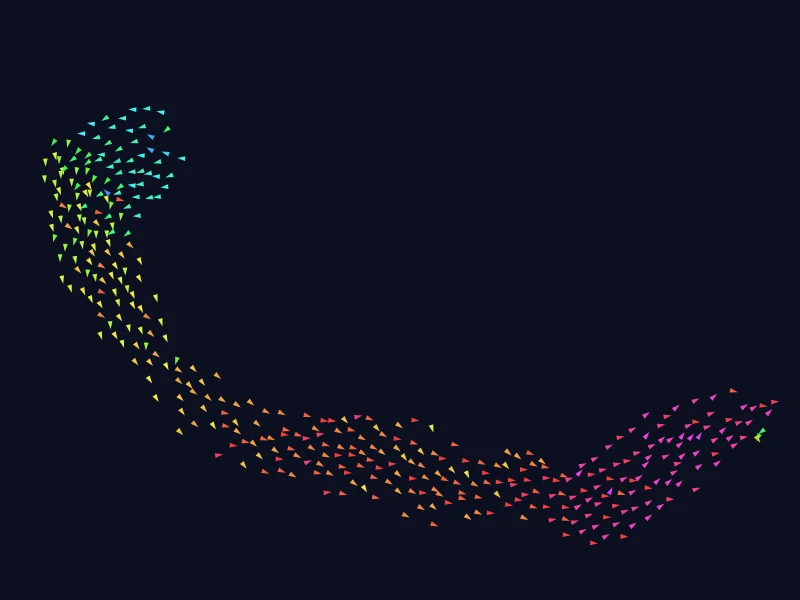
This is an online Boids simulation, the famous model of flocking created by Craig Reynolds in 1986. Each boid (a "bird-oid" object) only sees a few neighbors around it, and follows three simple rules: separation (don't crowd your neighbors), alignment (fly in the same direction as them) and cohesion (stay close to them). Nobody leads the flock and nobody knows its shape, yet the boids gather into flocks that fly, turn and split like real birds, fish or insects.
Change the weight of each rule while the boids fly, and see what each one does: without alignment you get a swarm of gnats, without cohesion traffic lanes, and with a narrow field of view a rotating mill. Add predators that chase the boids, draw obstacles, scare or attract the boids with your mouse (or your finger), and show what a single boid sees.
You can download the current frame as a PNG image, or create an animated GIF or a WebM video of the simulation. Everything runs directly in your browser: nothing is uploaded to a server. You are free to share the generated images and videos anywhere. Attribution is not required but appreciated.
Step 0, 0 boids, 0 flocks, order 0%
The order (0 to 100%) and the number of flocks over time
Speed:
Examples
Each example below loads a set of rules and a world. Click on any example to start it, and then change the rules to see what happens. Some patterns, like the ring and the mill, take a minute to form: use the speed buttons under the canvas to get there faster.
Flocking
400 boids, separation 1.5, alignment 1, cohesion 1, vision 50 px, 270°
The three classic rules of Reynolds, with 400 boids scattered at random. Within a few seconds they gather into flocks, which turn away from the walls, split, meet and merge again. Hold the mouse button on the canvas to scare them.
Murmuration
4,000 boids, separation 1.5, alignment 1, cohesion 1, vision 25 px, 270°
4000 small dark birds with a short vision, against a pale sky. They gather into large dense clouds that stretch, fold and pour into each other, like the murmurations of starlings at dusk.
Fish and sharks
500 boids, separation 1.5, alignment 1, cohesion 1, vision 50 px, 270°, 2 predators
A school of fish in open water (with no walls), and two predators that chase the nearest fish. The school splits in front of each predator and closes again behind it.
Hunting
500 boids, separation 1.5, alignment 1, cohesion 1, vision 50 px, 270°, 3 predators
Three predators that eat the boids they catch, and rest a moment after each catch. Watch the number of boids go down, and how the boids that stay in a flock see the predators coming.
Chasing its tail
500 boids, separation 1.5, alignment 1, cohesion 1, vision 50 px, 270°
With wider margins along the walls and no random wander, the whole flock ends up flying around the box in a ring, each boid following the boids ahead of it.
Mill
400 boids, separation 1.5, alignment 1, cohesion 1, vision 50 px, 120°
With a narrow field of view of 120°, each boid follows the boids in front of it and doesn't see the ones beside it. The flock often curls into a rotating mill, a vortex like the ones of schools of fish.
Swarm of gnats
300 boids, separation 1.5, alignment 0, cohesion 2, vision 100 px, 360°
Without alignment, the boids don't care where their neighbors go: a strong cohesion only keeps them together. They buzz in a ball, each one in its own direction, like a swarm of gnats.
Small flocks
500 boids, separation 1.5, alignment 1, cohesion 1, vision 25 px, 270°
Short-sighted boids, in open space with no walls: they see only 25 pixels away, so they form many small flocks that cross each other instead of one large flock.
Traffic lanes
600 boids, separation 1.5, alignment 1, cohesion 0, vision 50 px, 270°
Without cohesion, the boids only keep their distance and copy the direction of their neighbors. They end up in parallel lanes that fill the whole space, all flying the same way.
Through the rocks
400 boids, separation 1.5, alignment 1, cohesion 1, vision 50 px, 270°
A few rocks in the way. The flocks split to pass on both sides of a rock, and join again behind it. Draw more obstacles with the mouse.
Forest of pillars
400 boids, separation 1.5, alignment 1, cohesion 1, vision 50 px, 270°
A grid of pillars, in open space. The flocks weave between the pillars, and slowly line up along the free corridors.
Draw your own flock
No boids at the start, separation 1.5, alignment 1, cohesion 1, vision 50 px, 270°
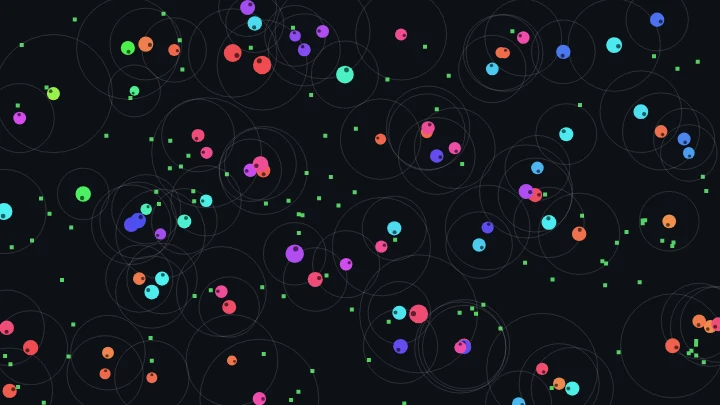
An empty sky, with the field of view of one boid shown. Hold the mouse button on the canvas to add boids, and watch the first ones find each other.
How to simulate boids
- Start an example - Choose one of the examples, or keep the default flocks. The boids start scattered at random and gather into flocks within a few seconds.
- Change the rules (optional) - Change the weights of separation, alignment and cohesion while the boids fly, or what they see: the vision radius, the separation distance and the field of view. Set a weight to 0 to see what the flock does without that rule.
- Change the world (optional) - Choose walls or open space, add rocks or pillars, and add predators that chase the boids.
- Play with the boids - Hold the mouse button on the canvas to scare the boids away or attract them, or choose another action: add or erase boids, add predators, draw obstacles, or choose the boid that shows what it sees. On a phone, use your finger.
- Customize the appearance (optional) - Color the boids by direction, by speed or by number of neighbors, and change their shape, their size, the trails and the colors.
- Download the result - Download the current frame as a PNG image, or create an animated GIF or a WebM video.
Configuration parameters
All the distances are in pixels of the canvas, and the speeds in pixels per step. The rules can all be changed while the simulation runs.
The three rules
| Field | Description |
|---|---|
| Separation | How strongly a boid moves away from the neighbors closer than the separation distance. It keeps the boids from colliding, and sets how loose the flock is: with more separation, the boids fly further apart. |
| Alignment | How strongly a boid turns to fly in the same direction, and at the same speed, as its neighbors. It makes the flock move as one. Without it, the boids buzz around each other like a swarm of insects. |
| Cohesion | How strongly a boid moves towards the center of its neighbors. It keeps the flock together. Without it, the boids still fly in the same direction, but drift apart into lanes. |
What a boid sees
| Field | Description |
|---|---|
| Vision radius | A boid sees the other boids closer than this distance: they are its neighbors, which it aligns with and stays close to. With a short vision, the boids form many small flocks. With a long vision, they gather into a few large ones. |
| Separation distance | A boid moves away from the neighbors closer than this distance. The push grows from nothing at this distance to its full strength when the boids touch. |
| Field of view | The angle a boid sees, centered on the direction it flies: 360° to see all around, 270° (the default) to not see right behind itself. A narrow field of view makes the boids follow the boids ahead of them, which forms lines and rotating mills. |
| Show what one boid sees | Draws the field of view of one boid (the white one), the circle of its separation distance (dashed), and a line to each neighbor it sees. Choose another boid with the mouse. |
Flight
| Field | Description |
|---|---|
| Maximum speed | The fastest a boid can fly, in pixels per step. A boid also tends to fly at this speed when nothing makes it turn. |
| Minimum speed | The slowest a boid can fly. Birds and fish can't stop in the air or in the water, so the boids never stop either. |
| Steering strength | How fast the boids can change their velocity: every rule is multiplied by this value. A low value gives wide, smooth turns. A high value gives nervous boids that react at once. |
| Random wander | Every boid turns by a small random angle on every step (the standard deviation of a normal distribution, in degrees). A little wander keeps the flocks lively: they split and meet more often. With 0, the simulation is fully deterministic. |
Boids
| Field | Description |
|---|---|
| Number of boids | The number of boids at the start, up to 20,000. More boids take more time to compute: look at the physics time per step. |
| Initial positions | Where the boids are placed at the start, with random directions: everywhere at random, packed in a disk in the center, or nowhere, to add your own boids with the mouse. |
| Random seed | The starting positions and directions, and the random wander, come from this number. The same seed with the same options always gives the same flight. Click the dice button to try a new one. |
| Place the boids again | Restarts the simulation from the initial positions, with the current options. |
World
| Field | Description |
|---|---|
| Edges | Walls the boids turn away from: the boids feel a force that pushes them back when they come closer to a wall than the margin, so the flocks make wide turns, like birds in a valley. Walls the boids bounce on: the boids fly until they hit a wall, and bounce on it like a ball. No walls: the world is a torus. A boid that leaves on one side comes back on the other side, and sees its neighbors across the edges, like in open space. |
| Margin of the walls | The distance from the walls where the boids start to turn away from them. The force grows from nothing at the margin to its full strength on the wall. |
| Obstacles | Round obstacles placed in the world: none, a few rocks at random, or a grid of pillars. Draw more obstacles with the mouse, or remove them all with the trash button. |
| Avoid obstacles from | The distance from the surface of an obstacle where the boids start to steer away from it. The avoidance is stronger than the three rules, so the boids never go through an obstacle. |
Predators
| Field | Description |
|---|---|
| Number of predators | The predators are larger and faster than the boids, and chase the nearest boid they see. Change the number while the simulation runs, or add predators with the mouse. |
| Predator speed | The speed of the predators, in pixels per step. They turn less sharply than the boids, so a boid can still dodge a faster predator. |
| Predator vision | A predator sees the boids closer than this distance, all around it. When it sees none, it keeps going in its direction. |
| Boids flee from | A boid flees from the predators closer than this distance, all around it. The mouse uses its own reach instead. |
| Strength of the fear | How strongly the boids flee from the predators, and from the mouse, compared with the three rules. |
| Predators eat the boids they catch | A boid closer than 6 pixels to a predator is eaten and disappears, and the predator rests for 30 steps before hunting again. |
Mouse
| Field | Description |
|---|---|
| Click on the canvas to | What happens when you click on the canvas (or touch it on a phone): Scare the boids away or attract the boids while the button is held: the boids within the reach of the mouse flee from it, or fly towards it. The right mouse button does the opposite. Add boids or erase boids while the button is held, within a third of the reach. The right mouse button does the opposite. Add a predator on each click. A right click removes the predators under the mouse. Draw obstacles: click or drag to draw round obstacles. A right click removes the obstacles under the mouse. Choose the boid that shows what it sees: click on a boid to draw its field of view and its neighbors. |
| Reach of the mouse | The distance, in pixels, where the mouse scares or attracts the boids. Boids are added and erased within a third of it, and the obstacles are a quarter of it wide. |
Appearance
| Field | Description |
|---|---|
| Boid colors | By direction: a color for each direction, so the boids that fly together have the same color, and a flock that turns changes color. Palette by speed: from the minimum speed to the maximum speed. Palette by number of neighbors: from 0 to 30 neighbors or more, which shows the dense centers of the flocks. One color: every boid has the same color. |
| Shape and size | The boids are drawn as triangles, arrows or dots, pointing where they fly. The size is the length of a boid, in pixels. It only changes the drawing, not the simulation. The predators are drawn twice as large. |
| Predator and obstacle colors | The colors of the predators and of the obstacles. |
| Trails | How much of the previous frame remains visible, from 0 (no trails) to 0.99 (very long trails). The trails show the paths of the boids. |
| Transparent background | The canvas and the downloaded PNG image have a transparent background. GIFs and videos have no transparency, so they always use the background color. |
| Background color | The color of the background, in hexadecimal value. For example, use #ffffff for white. |
Animation control
| Button or value | Description |
|---|---|
| Speed | The number of steps computed per second, the same on any screen. The buttons choose a speed quickly: slow (20), normal (60), fast (240), very fast (1000) or the maximum your computer can do. When the computer can't keep up, the simulation simply runs as fast as it can. |
| Start, Restart | Start the simulation from the initial positions. |
| Pause, Resume, Stop | Pause, resume or stop the simulation. You can still change the options, and add or erase boids, predators and obstacles, while it is paused. |
| One step | Pauses the simulation and advances it a single step. |
| Flocks | The flocks counted on the canvas, also drawn over time in the chart under the canvas. A flock is a group of at least 3 boids, each closer to another boid of the group than 60% of the vision radius (or the separation distance, if it is larger). The boids that are in no flock are counted as alone. |
| Order | How much all the boids fly in the same direction: 100% when they all fly the same way, near 0% when they fly in every direction. Several flocks that fly in different directions, or a flock that turns in a ring, give a low order. It is also drawn over time in the chart. |
| Average neighbors and speed | The average number of neighbors each boid sees, and the average speed of the boids. |
| Physics time per step | The time your computer took to compute the rules and move the boids, on each step. |
| Download current animation frame | Download the current frame (in PNG format). |
| Reset all the options | Restore every option to its default value, and restart the simulation. |
Animated GIF and video
| Field | Description |
|---|---|
| Format | An animated GIF, which plays everywhere, or a WebM video, which is smaller and has better colors. The animation starts from the current state of the boids. |
| Number of frames | The number of frames of the animation, up to 3000. |
| Steps per frame | The number of simulation steps between two frames. Higher values give a faster animation in fewer frames. |
| Frames per second | The speed at which the frames are played. |
How boids work
Craig Reynolds created boids in 1986, and described them in 1987 in the article "Flocks, Herds, and Schools: A Distributed Behavioral Model", presented at the SIGGRAPH computer graphics conference. Before boids, animators had to script the path of every bird of a flock. Reynolds' idea was to let each bird steer by itself, with only a local view of the flock, and to let the flock emerge from the birds.
Every boid has a position and a velocity. On every step, it looks at its neighbors: the other boids closer than the vision radius, and inside its field of view. Then it changes its velocity with three rules, each one multiplied by its weight and by the steering strength:
- Separation - For each neighbor closer than the separation distance s, the boid is pushed away from it by 1 - d / s, where d is their distance: nothing at the separation distance, and a full push when they touch.
- Alignment - The boid is pushed towards the average velocity of its neighbors, by the difference between that average and its own velocity, divided by the maximum speed.
- Cohesion - The boid is pushed towards the average position of its neighbors, by its distance to that center, divided by the vision radius.
A fourth, small force pushes every boid back to the maximum speed, like a bird that keeps flapping its wings. The forces of the walls, the obstacles, the predators and the mouse are added, the speed is kept between the minimum and the maximum, and the boid moves. All the boids compute their forces first, from the same positions, and then all move at the same time.
Each force grows with the reason to steer: a boid that is nearly at the center of its neighbors is barely pulled towards it. Many programs write each rule as a "steering force" that always steers at full strength, the desired velocity minus the current velocity. When we tried it, the three rules braked each other, and the flocks collapsed into dense balls that flew at the minimum speed, while the version used here keeps the boids evenly spaced at full speed.
To find the neighbors without measuring the distance between every pair of boids, the world is divided into a grid of cells as wide as the vision radius, and each boid only looks at the boids of its own cell and of the 8 cells around it. We checked that this gives exactly the same forces as comparing every pair of boids.
None of the rules talks about a flock. A boid doesn't know where the flock is, how large it is, or where it goes: it only sees a few neighbors. The flock, its shape, its turns and its splits emerge from thousands of local decisions. This is why boids became a classic example of emergence and of artificial life, and why the same idea, agents with simple local rules, is used to animate the crowds, armies and swarms of films and video games.
Frequently Asked Questions (FAQ)
What are boids?Boids are simulated birds that follow three simple rules: keep a distance from their neighbors (separation), fly in the same direction as them (alignment), and stay close to them (cohesion). Together, these rules make the boids fly in flocks that look like real flocks of birds or schools of fish.
Who invented boids?Craig Reynolds, a computer graphics researcher, in 1986. He published the model in 1987, and received an Academy Award (a Scientific and Technical Award) in 1998 for his pioneering work on the 3D animation of flocks and crowds in films.
What does the word "boid" mean?It is a short form of "bird-oid object", an object that behaves like a bird. It also imitates the way "bird" is pronounced with a New York accent.
Why don't all the boids end up in a single flock?A boid only sees its neighbors within the vision radius, so two flocks that don't see each other never meet, unless they cross by chance. The random wander and the walls also split the flocks from time to time. With a long vision and no wander, the boids usually end up in a single flock.
What happens if I set a rule to 0?Without separation, the boids pile up on each other. Without alignment, they buzz around in a swarm, each in its own direction. Without cohesion, they fly in the same direction but drift apart into lanes. Negative values turn a rule around: a negative cohesion, for example, makes the boids avoid each other.
Are boids used in films and games?Yes. The first film to use them was "Batman Returns" (1992), for its swarms of bats and its army of penguins. The same idea, simple agents that steer by themselves, is used for the crowds, herds and swarms of many films and video games.
What is the difference with Particle Life?In Particle Life, particles attract and repel each other with forces, depending only on their colors and their distance. Boids also look at the direction and speed of their neighbors, through the alignment rule, which is what makes them fly together in the same direction. You can also compare them with the Primordial Particle System, where the particles only decide how much to turn.
Is my simulation uploaded to a server?No. Everything runs in your browser, on the HTML canvas. Nothing is uploaded, and the images, GIFs and videos you download are generated on your own computer.
Can I use the generated images and videos?Yes. You are free to use and share the generated images and videos on YouTube, TikTok, or any other social media or website. Attribution is not required but appreciated.
Related tools