
Particle Lenia
Simulate Particle Lenia, the version of the Lenia artificial life made of particles: each particle moves to lower its own energy, and together they build rotors, gliders and cells. Change the kernel and the growth function, add particles with the mouse, and download images, GIFs and videos.
This is an online Particle Lenia simulation. Lenia is a continuous version of the Game of Life, computed on a grid, where smooth creatures glide and spin like microscopic organisms. Particle Lenia, created by Alexander Mordvintsev, Eyvind Niklasson and Ettore Randazzo at Google Research, builds the same kind of creatures out of free particles instead of a grid of cells.
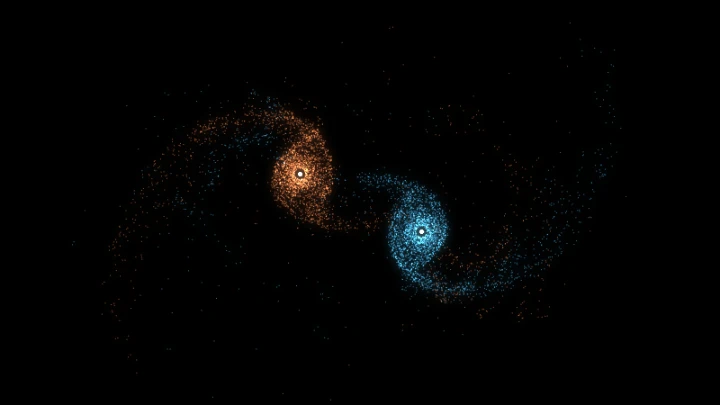
Every particle spreads a ring-shaped field around itself, and the sum of these rings is the Lenia field U. Each particle looks for a place where U has the value it likes, while staying away from the other particles. In the language of physics, it moves downhill in an energy landscape made by all the others. From these simple rules, a few hundred particles organize into rotating gears, gliding creatures, rings and cells.
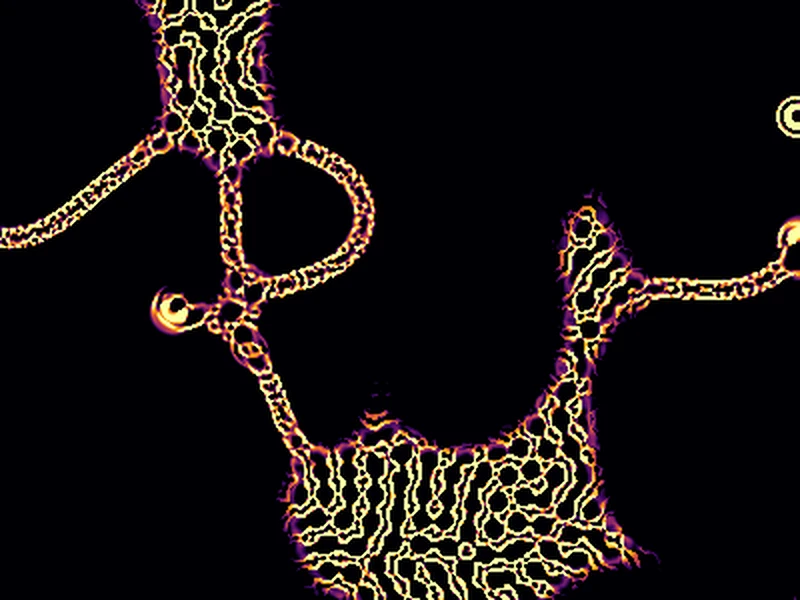
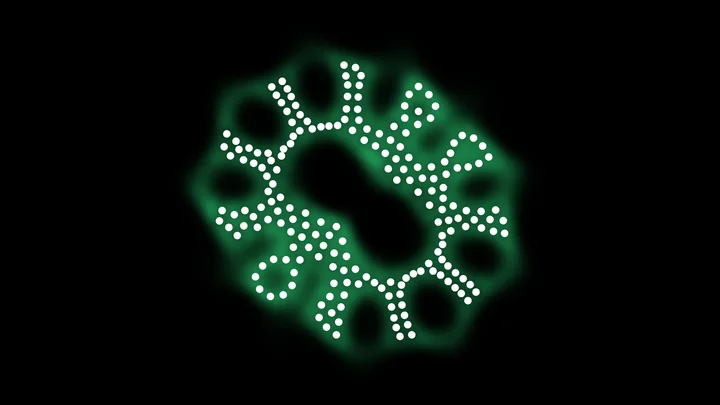
The background shows the energy field: red where the particles are too close and push each other away, green where the Lenia field is just right. Change the kernel, the growth function and the repulsion while the simulation runs, and pull, push, add or erase particles with your mouse (or your finger) on the canvas.
You can download the current frame as a PNG image, or create an animated GIF or a WebM video of the simulation. Everything runs directly in your browser: nothing is uploaded to a server. You are free to share the generated images and videos anywhere. Attribution is not required but appreciated.
0 particles, 0 steps, average energy 0.0000
Average energy over time
Examples
Each example below loads a set of parameters and a number of particles. Click on any example to start it, and then change the parameters to see what happens. Some creatures need a few thousand steps to appear: increase the steps per frame to get there faster.
Rotor
200 particles, μK 4, σK 1, μG 0.6, σG 0.15
The example of the original article: 200 particles with the default parameters. They first form a round blob, which after a few thousand steps reorganizes into a gear with petals around a hollow center, and slowly starts to rotate.
Rotor and the Lenia field
200 particles, μK 4, σK 1, μG 0.6, σG 0.15
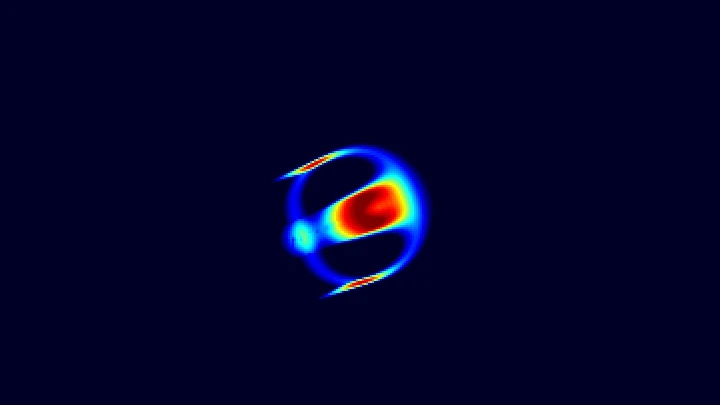
The same rotor drawn like the original article, on a white background: the Lenia field U in blue and the growth G in yellow. The particles sit where G is high, on the edges of the blue areas.
Three-line glider
109 particles, μK 5.4, σK 0.85, μG 0.72, σG 0.191
109 particles with a wider kernel arrange into three parallel lines, and the whole creature glides in a straight line across the wrapped world.
Y glider
114 particles, μK 4.9, σK 0.79, μG 0.7, σG 0.157
A three-armed creature made of loops, surrounded by small companions, which glides in a straight line. Other random seeds give gliders too.
Square glider
72 particles, μK 4.7, σK 0.82, μG 0.39, σG 0.161
72 particles make a small square cell with a few particles inside, wrapped in a green halo of growth, which glides steadily.
Ring with satellites
109 particles, μK 5.4, σK 0.85, μG 0.72, σG 0.191
The parameters of the three-line glider with another random seed: the particles build a completely different creature, a small ring surrounded by satellites. The same laws can host many creatures.
Cell with a nucleus
86 particles, μK 3.2, σK 1.53, μG 0.32, σG 0.206, cRep 0.3
With a weak repulsion and a wide kernel, the particles make a membrane around a dense nucleus, like a cell. The cell slowly moves in small circles.
Worm with nuclei
119 particles, μK 1.8, σK 0.97, μG 0.48, σG 0.173
A short kernel stretches the particles into a bent worm, with a membrane and a row of four small rings inside, which wriggles around.
Starfish
300 particles, μK 5.4, σK 0.81, μG 0.73, σG 0.127, cRep 0.8
300 particles with a long kernel form a body with tentacles made of single lines of particles, which slowly bend and move.
Bubble foam
800 particles, μK 4, σK 1, μG 0.6, σG 0.15
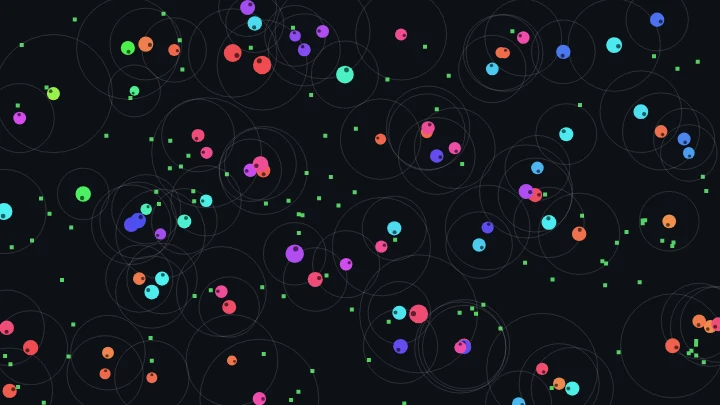
800 particles with the parameters of the rotor fill the whole wrapped world. There is no room for rotors, and the particles build a foam of empty bubbles separated by walls of particles.
Colony
500 particles, μK 4.9, σK 0.79, μG 0.7, σG 0.157
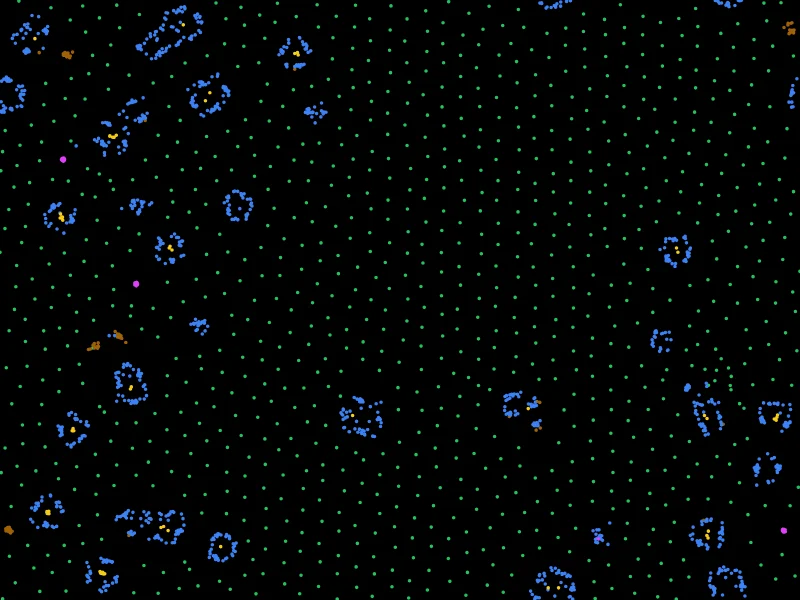
500 particles with the parameters of the Y glider. Most of them gather into a large liquid mass, while the others become small creatures scattered around it.
Crystal
500 particles, μK 5.4, σK 0.85, μG 0.72, σG 0.191
500 particles with the parameters of the three-line glider fill the world with small rings, which push each other into a nearly regular lattice and freeze, like a crystal.
How to simulate Particle Lenia
- Start an example - Choose one of the examples, or keep the default rotor of the original article. Some creatures take a few thousand steps to appear: increase the steps per frame to get there faster.
- Change the parameters (optional) - Change the kernel, the growth function and the repulsion while the simulation runs. The curves show the shape of the kernel and of the growth function.
- Choose the particles (optional) - Change the number of particles, how they are placed at the start and the random seed, then click "Place the particles again".
- Play with the particles - Click and drag on the canvas to pull, push, add or erase particles, or to move the view. On a phone, drag with your finger.
- Customize the appearance (optional) - Show the energy field or the Lenia field in the background, color the particles by energy, field or speed, and change the zoom and the trails.
- Download the result - Download the current frame as a PNG image, or create an animated GIF or a WebM video.
Configuration parameters
All the distances are in units: the repulsion between two particles reaches 1 unit, so neighboring particles end up about 1 unit apart. The zoom sets how many pixels one unit takes on the canvas.
Particles
| Field | Description |
|---|---|
| Number of particles | The number of particles, up to 20,000. Creatures are made of a few dozen to a few hundred particles: with the same parameters, a different number of particles often makes a different creature. The cost of each step depends on the number of particles and on how many neighbors each particle has within the reach of its kernel. |
| Initial positions | Where the particles are placed at the start: randomly in a square (like the original article), in a disk, in a ring, in two squares side by side, in a line, or everywhere in the world (only in a wrapped world). |
| Initial size | The size of the square, the disk or the ring where the particles start, in units. The original article places 200 particles in a square of 12 units. |
| Random seed | The starting positions are random. The same seed always places the particles at the same positions, so with the same parameters the simulation is the same. Click the dice button to try a new random seed: the same parameters can build several different creatures. |
| Place the particles again | Restarts the simulation from the initial positions, with the current parameters. |
Kernel K(r)
| Field | Description |
|---|---|
| Kernel curve | The field that one particle adds around itself, by distance r. It is a ring: low on the particle, highest at the distance μK and fading away farther. The red band at the start shows the reach of the repulsion (1 unit). |
| Kernel peak distance (μK) | The distance where the kernel is strongest, in units. It sets the size of the creatures: a particle feels the most the particles that are about μK away. The original article uses 4. |
| Kernel width (σK) | How wide the ring of the kernel is. The kernel is negligible farther than μK + 3.5·σK, so a wider kernel also means more neighbors to compute. The original article uses 1. |
| Kernel weight (wK) | Multiplies the kernel. The Lenia field at a particle is the sum of the kernels of all the particles, so the weight sets how many neighbors it takes to reach the preferred field μG. The original article uses 0.022. |
| Normalize the weight automatically | If enabled, the weight is computed so that the kernel adds up to 1 over the whole plane, like the original code does when it creates new parameters. The weight then follows μK and σK. For μK = 4 and σK = 1, the normalized weight is 0.0224, very close to the 0.022 of the article. |
Growth G(U)
| Field | Description |
|---|---|
| Growth curve | How much a particle likes each value of the Lenia field U, from 0 to 1. The particles move towards the places where G is high. |
| Preferred field (μG) | The value of U that the particles like the most, where G is 1. A higher value asks for more neighbors, so the particles pack more tightly. The original article uses 0.6. |
| Growth width (σG) | How tolerant the particles are: with a small value, only a field very close to μG is good, and the slopes of G are steep. The original article uses 0.15. |
Physics
| Field | Description |
|---|---|
| Repulsion (cRep) | The strength of the repulsion between particles closer than 1 unit, which keeps them from piling up on a single point. With a weak repulsion, the particles can squeeze into dense clumps. The original article uses 1. |
| Time step (dt) | The amount of simulated time advanced on every step. The original article uses 0.1. Larger values are faster but less accurate, and the particles can start to shake. |
| Steps per frame (speed) | The number of steps computed on every animation frame. Increase it to make the simulation faster. With 0 the particles are frozen, but you can still change the parameters and see the new energy. |
| World | Infinite plane: the particles can go anywhere, like in the original article, and the view follows them. Wrap around the edges of the canvas: the world is exactly the canvas, and the particles that leave on one side come back on the other side, as if the world were a donut (a torus). It is the best way to watch gliders travel, and to fill a whole world with particles. The size of the world, in units, is the size of the canvas divided by the zoom. |
View and mouse
| Field | Description |
|---|---|
| Zoom | The number of pixels of one unit. In a wrapped world, the zoom also changes the size of the world, and the particles are wrapped into the new size. |
| Keep the particles in the center | On the infinite plane, the view smoothly follows the center of all the particles. Disable it to see the creatures move across the canvas. Moving the view with the mouse disables it. |
| Click and drag on the canvas to | What happens when you click and drag on the canvas (or touch it on a phone): pull the particles towards the mouse, push them away, add new particles, erase the particles under the mouse, move the view (on the infinite plane), or nothing. The right mouse button does the opposite of the left button: push instead of pull, erase instead of add. |
| Radius | The reach of the mouse, in units. New particles are added inside half of this radius, one per frame. |
| Strength | The speed given by the mouse to the particles under it, strongest at the mouse and fading to 0 at the radius. |
Appearance
| Field | Description |
|---|---|
| Background | Energy E: the background color is the energy of empty space. Red areas have a higher energy, because of the repulsion near the particles. Green areas have a lower energy, where the growth G is high: these are the places where the particles would like to be. Lenia field U and growth G: the Lenia field in blue, with the growth in yellow on top, like the figures of the original article. None: a plain background color. |
| Field detail | The fields are computed every few pixels and smoothed between them. Smaller values are sharper but slower to draw. |
| Particle colors | One color for every particle, or a color from the palette for each particle by its energy, by the Lenia field at its position, or by its speed. The values are scaled from the lowest to the highest of the current frame. |
| Particle size | The diameter of the particles, in units. It only changes the drawing, not the physics. |
| Trails | How much of the previous frame remains visible, from 0 (no trails) to 0.99 (very long trails). The trails show the paths of the particles. |
| Transparent background | Only without a field in the background: the canvas and the downloaded PNG image have a transparent background. GIFs and videos have no transparency, so they always use the background color. |
| Background color | The color of the background, and of empty space in the fields, in hexadecimal value. For example, use #ffffff for white, like the original article. |
Animation control
| Button or value | Description |
|---|---|
| Start, Restart | Start the simulation from the initial positions. |
| Pause, Resume, Stop | Pause, resume or stop the simulation. You can still change the parameters and the appearance, and add or erase particles, while it is paused. |
| One step | Pauses the simulation and advances it a single step. |
| Average energy | The average energy E of the particles, which is also drawn over time in the chart under the canvas. It mostly goes down, with sudden drops when the particles find a better arrangement. |
| Average speed | The average speed of the particles. It is close to 0 when they settle into a still shape, and stays higher in rotors and gliders. |
| Neighbors per particle | The average number of other particles within the reach of the kernel of each particle, which is the number of interactions computed for it on each step. |
| Physics time per step | The time your computer took to compute the fields and move the particles, on each step. |
| Download current animation frame | Download the current frame (in PNG format). |
| Reset all the options | Restore every option to its default value, and restart the simulation. |
Animated GIF and video
| Field | Description |
|---|---|
| Format | An animated GIF, which plays everywhere, or a WebM video, which is smaller and has better colors. The animation starts from the current state of the particles. |
| Number of frames | The number of frames of the animation, up to 3000. |
| Steps per frame | The number of simulation steps between two frames. Higher values give a faster animation in fewer frames. |
| Frames per second | The speed at which the frames are played. |
How Particle Lenia works
Particle Lenia was introduced in December 2022 by Alexander Mordvintsev, Eyvind Niklasson and Ettore Randazzo, in the article "Particle Lenia and the energy-based formulation". It keeps the ideas of Lenia, a kernel and a growth function, but applies them to particles that move freely on a plane. On every step, for every particle, the simulation:
- Measures the Lenia field - Every particle adds a ring-shaped kernel
K(r) = wK · exp(-((r - μK) / σK)²)around itself. The Lenia field U at a place is the sum of the kernels of all the particles. - Applies the growth function -
G = exp(-((U - μG) / σG)²)says how good the field is: 1 when U equals μG, and close to 0 when U is too low or too high. - Adds the repulsion -
R = cRep / 2 · Σ max(1 - r, 0)², a force that pushes apart the particles closer than 1 unit. - Moves downhill - The energy is
E = R - G, and every particle moves down the slope of the energy at its position:dp/dt = -∇E(p). The particle leaves the crowded places, where R is high, and goes towards the places where G is high.
To avoid measuring the distance to every particle, the plane is divided into a grid of cells as wide as the reach of the kernel, and each particle only looks at the particles of its own cell and of the 8 cells around it. The motion is computed with the Euler method, like in the original code: the position is advanced by dt times the velocity on every step.
In classic Lenia, the cells of a grid grow and shrink, and a creature can lose or gain mass. Here the number of particles never changes, so the "mass" is always conserved. The movement has no inertia: a particle doesn't have a speed of its own, it simply follows the slope of the energy, like a ball rolling in thick honey.
Each particle greedily lowers its own energy, without caring about the energy of its neighbors. If all the particles worked together to lower the total energy, they would always end up still. But because each one is selfish, the total energy can stay balanced in a never-ending dance: groups of particles find arrangements that keep rotating (the rotors) or moving in a straight line (the gliders), just like the moving creatures of Lenia. The chart under the canvas shows the average energy: it usually goes down in steps, each time the particles find a better formation.
Frequently Asked Questions (FAQ)
What is Particle Lenia?It is a version of the Lenia artificial life where the creatures are made of particles instead of the cells of a grid. Each particle spreads a ring-shaped field around itself, and moves to the places where the total field has the value it likes, while staying away from the other particles. A few hundred particles organize themselves into creatures that rotate, glide or pulse.
Who created Particle Lenia?Alexander Mordvintsev, Eyvind Niklasson and Ettore Randazzo, at Google Research, in December 2022. It is based on Lenia, the continuous cellular automaton created by Bert Wang-Chak Chan.
What is the difference between Lenia and Particle Lenia?Lenia is computed on a grid of cells with values between 0 and 1, which grow or shrink, so the creatures can gain or lose mass. Particle Lenia moves a fixed number of particles freely, so the mass is always conserved, and the creatures can be simulated without a grid, on an infinite plane.
What is the difference with Particle Life?In Particle Life, particles of several colors attract and repel each other following a table of forces between pairs of particles. In Particle Lenia there is only one kind of particle, and each particle reacts to the total field of all its neighbors through the growth function, which is not a sum of forces between pairs. Particle Life particles also have inertia and friction, while Particle Lenia particles move directly down the slope of their energy.
Why do the rotors and gliders keep moving?Because each particle lowers only its own energy, without caring about the others. The movement of one particle can raise the energy of its neighbors, which then move too. For some arrangements this chase never ends, and the whole group keeps rotating or gliding.
Why does nothing happen for a while?Many creatures form in stages. The rotor, for example, first gathers into a still round blob, and only reorganizes into a rotating gear after a few thousand steps. Increase the steps per frame to get there faster, and watch the energy chart: a sudden drop usually means the particles found a new formation.
How do I find new creatures?Change one parameter at a time while the simulation runs, and try different numbers of particles and random seeds: with the same parameters, a different seed can build a completely different creature. Gliders are easier to see in a wrapped world, or with "Keep the particles in the center" disabled. You can also add particles with the mouse to a creature and see how it adapts.
Is my simulation uploaded to a server?No. Everything runs in your browser, on the HTML canvas. Nothing is uploaded, and the images, GIFs and videos you download are generated on your own computer.
Can I use the generated images and videos?Yes. You are free to use and share the generated images and videos on YouTube, TikTok, or any other social media or website. Attribution is not required but appreciated.
Related tools